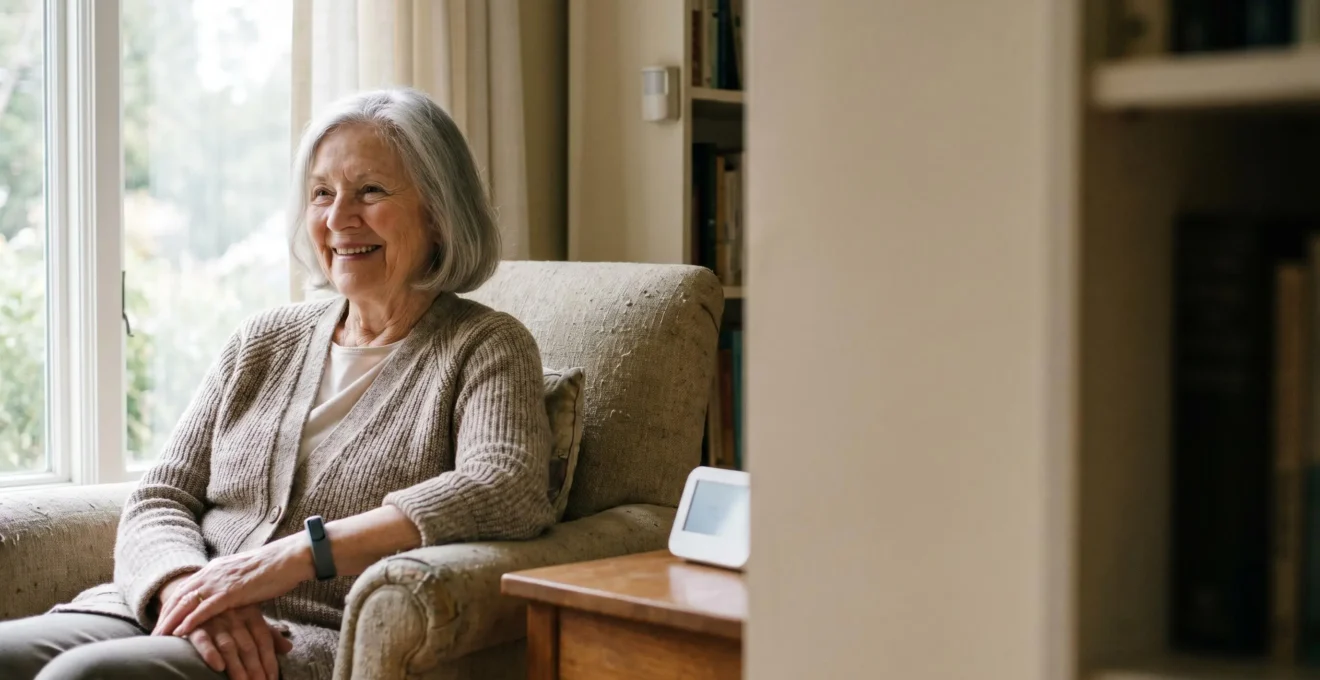
Contrary to popular belief, the best remote care for an elderly parent isn’t a single fall-detection pendant, but a resilient, privacy-first system you intelligently design.
- Passive, non-wearable sensors often provide more reliable data for nighttime events and for individuals with cognitive decline.
- A “human-in-the-loop” protocol is essential to filter false alarms, prevent unnecessary emergency calls, and reduce caregiver stress.
Recommendation: Focus on building a layered system that automates safety (like emergency lighting) and provides clear data for you to make informed decisions, not a system that bombards you with alerts.
For families across the UK, the thought of an ageing parent living alone is a source of constant, low-level anxiety. Every phone call that goes unanswered for a little too long can spark a wave of worry. The default solution, often encouraged by a market filled with gadgets, is to buy a fall-detection pendant. While well-intentioned, this approach often fails to address the complex reality of remote care. These devices can be forgotten, refused, or trigger a cascade of stressful false alarms.
As a gerontechnology specialist working within the NHS social care ecosystem, I’ve seen firsthand the gap between the promise of a single device and the reality of creating a robust safety net. The conversation needs to shift. It’s not about finding the one ‘best’ gadget; it’s about understanding how to layer different technologies—from wearable bracelets to discreet bed sensors and smart home automations—into a cohesive and resilient system. This system must do more than just send an alert; it must provide context, respect dignity, and empower you, the caregiver, to distinguish between a minor event and a genuine emergency.
But what if the true key to peace of mind isn’t just about collecting more data, but about collecting the *right* data and filtering out the noise? What if we could build a system that is not only effective but also unintrusive, promoting independence while ensuring safety? This guide is designed to move beyond the platitudes. We will explore the critical nuances of IoT health monitoring, from securing sensitive data to configuring alerts that work for you, not against you. We’ll delve into the practicalities of choosing the right sensors for specific needs, like dementia care, and tackle the pervasive issue of false alarms head-on.
This article provides a specialist’s framework for building an effective remote monitoring system. We will cover the essential components, from data security and alert configuration to sensor selection and automated safety responses, giving you the knowledge to make informed decisions.
Summary: A Specialist’s Framework for Building a Resilient Elderly Monitoring System
- Why Cloud-Based Health Data Needs More Than Just a Password?
- How to Configure Critical Alerts on iOS for Elderly Monitoring?
- Wearable Bracelet or Bed Sensor: Which Is Better for Dementia Patients?
- The Calibration Error That Sends False Ambulances to Your Door
- How to Trigger the Lights Automatically If a Fall Is Detected at Night?
- Why Your SpO2 Drops at Night and When to See a GP?
- The New Threat: How AI Voice Clones Are Bypassing Bank Security?
- Biometric Multi-Factor Authentication: Is FaceID Safer Than a Strong Password?
Why Cloud-Based Health Data Needs More Than Just a Password?
When you set up a monitoring system for a loved one, you are creating a stream of the most personal data imaginable: their heart rate, sleep patterns, movement, and more. Protecting this data is not just an IT issue; it’s a fundamental matter of trust and safety. A simple password on a caregiver app is woefully inadequate in the face of today’s sophisticated threats. The healthcare IoT security market is exploding precisely because the risks are so significant, with a staggering 107% year-over-year increase in attacks on IoT endpoints seen in early 2024. This isn’t theoretical; it’s a clear and present danger to your family’s privacy.
Effective security requires a multi-layered approach, often called “defence in depth.” You must consider the entire chain, from the sensor on your parent’s wrist to the app on your phone. Each point is a potential vulnerability. A weak link in the home Wi-Fi network can expose every device connected to it. A cloud platform with poor encryption standards could lead to a catastrophic data breach. As the person responsible, you need to ask tough questions of service providers about their security posture before you entrust them with your family’s data.
Think of security as having four distinct layers you need to fortify:
- Sensor Level: The device itself should have built-in protections like secure boot, which prevents malicious firmware from being loaded onto it.
- Home Network: Your parent’s home Wi-Fi is a critical gateway. It must be secured with modern WPA3 encryption, and ideally, IoT devices should be on a separate, isolated network (a VLAN) so that if one is compromised, it can’t infect other devices like a laptop.
- Cloud Platform: The service provider’s role is crucial. Verify that they use end-to-end encryption (E2EE), meaning only you and the sensor can read the data. Also, check their data residency policies to ensure they comply with UK GDPR standards for handling sensitive health information.
- Caregiver App: Your phone is the final link. Always enable multi-factor authentication (MFA), use biometrics like FaceID or a fingerprint to log in, and annually review what third-party services the app is allowed to share data with.
How to Configure Critical Alerts on iOS for Elderly Monitoring?
The single biggest challenge in remote monitoring is not a lack of data, but an excess of it. Constant, low-level notifications lead to “alert fatigue,” where a genuinely critical event can be missed amidst the noise of a dozen minor ones. This is where a well-designed alert strategy becomes your most powerful tool. Modern operating systems like iOS have a specific feature designed for this exact purpose: Critical Alerts. As Apple’s own documentation states: “Critical alerts override the Do Not Disturb feature if you have it enabled on your iPhone or iPad, and will even arrive with an audio alert when your device is muted.” This is a powerful capability that must be used judiciously.
The goal is to create a tiered system that filters the signal from the noise. Not every notification deserves the same level of urgency. A low battery warning is important, but it’s not a 3 AM emergency. A slightly elevated heart rate might be a concern, but it’s different from a detected fall. A robust monitoring app will allow you to customise these levels, ensuring that only true, life-threatening emergencies can break through your phone’s silent mode.
A clinically sound approach involves a three-tier alert framework:
- Level 1 (Standard): These are informational notifications. They include things like daily activity summaries, routine medication reminders, or low battery warnings. They should respect your phone’s Do Not Disturb settings and not create urgency.
- Level 2 (High Priority): These indicate an abnormal pattern that requires attention soon, but not immediately. Examples include an elevated heart rate that persists for over 10 minutes or a significant disruption in normal sleep patterns. These should trigger a loud, audible alert but can be temporarily snoozed.
- Level 3 (Critical): This is reserved for true emergencies. A detected fall, a severe vital sign anomaly (like SpO2 dropping below 85%), or a prolonged period of no movement (e.g., 6+ hours) should trigger an iOS Critical Alert. This alert bypasses silent mode and should simultaneously notify secondary emergency contacts via an automated service.
Crucially, this system must include alert fatigue prevention. This means customising the thresholds based on your parent’s individual health baseline and reviewing false alarm patterns monthly to recalibrate the system’s sensitivity. This active management is the key to a sustainable and effective monitoring solution.
Wearable Bracelet or Bed Sensor: Which Is Better for Dementia Patients?
When caring for a person with dementia, the choice of monitoring technology becomes particularly sensitive. The common impulse is to use a wearable bracelet with GPS and vital sign tracking. However, clinical experience and research show this is often not the best approach. A person with dementia may find a device on their wrist agitating, may repeatedly remove it, or forget to charge it, rendering it useless. The act of wearing a device can also feel like ‘being tagged,’ which can be a blow to their sense of dignity.
A comprehensive scoping review of 37 different studies on wearable sensors for dementia highlighted this very issue. While wrist-based sensors were the most common technology studied, the research found conflicting results and, in many cases, no significant improvement in caregiver outcomes. This suggests that for this specific group, active compliance with a wearable device is a major barrier. The solution often lies in shifting the strategy from active to passive monitoring—using technology that works invisibly in the background without requiring any interaction from the user.
This is where under-mattress bed sensors come into their own. These thin pads slide under the mattress and are completely forgotten. They are exceptionally effective at monitoring what happens during the night—a period of high risk and anxiety for caregivers. They can detect when the person gets out of bed (a fall risk), monitor respiratory rate and sleep quality, and provide an invaluable baseline of their nocturnal patterns. For a person with dementia, whose behaviour can be unpredictable, this non-intrusive, zero-compliance approach is often far more reliable and dignified.
The choice is not always one or the other. A “sensor fusion” approach is often best, but the starting point and primary tool for dementia care, particularly for nighttime safety, should lean towards passive technology. The following table breaks down the key considerations.
| Criteria | Wearable Bracelet | Bed Sensor (Under-Mattress) |
|---|---|---|
| Compliance Risk | High – patient may remove, forget to charge, or experience agitation from wearing device | Low – completely passive, no user interaction required |
| Monitoring Scope | Continuous 24/7 vital signs (heart rate, SpO2), GPS location tracking possible | In-bed monitoring only: sleep quality, bed exits, respiratory patterns |
| Best Use Case | Elopement/wandering risk, outdoor activity tracking, daytime vital monitoring | Nocturnal event detection, fall risk upon rising, sleep apnea screening |
| Privacy/Dignity | May feel like surveillance or ‘being tagged’, visible reminder of condition | Invisible and non-intrusive, preserves sense of independence |
| Recommended Strategy | Sensor Fusion Approach: Combine bed sensor for nighttime monitoring with ambient motion sensors for daytime fall detection, reserve GPS wearable only for patients with documented wandering behavior | |
The Calibration Error That Sends False Ambulances to Your Door
The promise of automatic fall detection is immense, but the reality can be a source of incredible stress: false alarms. A device mistaking a sudden sit-down or a dropped object for a fall can trigger a terrifying sequence of events, culminating in an unnecessary and distressing ambulance visit for your parent. While the technology has improved, with industry analysis revealing 80% to 95% accuracy rates for many commercial systems, this “5 to 20%” error rate is not insignificant when spread across thousands of hours of monitoring. In fact, a long-term study showed this can amount to approximately 1.2 false alarms per day for an active user.
This is where the concept of a “human-in-the-loop” verification system moves from a “nice-to-have” to an absolute necessity. No alert from an automated sensor, no matter how sophisticated, should ever automatically trigger a 999 call. The technology’s job is to detect a potential anomaly; your job, as the informed human caregiver, is to verify it. This crucial delay, often just a two-minute window, is the firewall that prevents system errors from becoming real-world emergencies. An effective system gives you the tools to quickly verify the situation, for example, by initiating a voice call through a smart speaker or checking a privacy-sensitive motion sensor dashboard.
The goal is to build a protocol that systematically de-escalates false positives while ensuring a rapid response for genuine events. This involves a clear chain of command and leveraging the system’s AI to learn your parent’s unique patterns, reducing the likelihood of future false alarms. By implementing a structured verification process, you transform the system from a potential source of panic into a reliable assistant.
Your Action Plan: The Human-in-the-Loop Verification Protocol
- First Alert Stage: Upon sensor anomaly detection, the system must send a Critical Alert to the primary caregiver with sensor readings and a timestamp. It must NOT automatically dial emergency services.
- Visual/Audio Verification: The caregiver must use an integrated (and pre-approved) IP camera or initiate a voice call to the elderly person to verify the situation within a 2-minute window.
- AI Baseline Learning: Ensure the system is configured to learn the individual’s normal movement patterns over a 2-4 week baseline period. This allows the AI to distinguish between actual falls and similar movements (e.g., bending over quickly).
- Secondary Contact Cascade: If the primary caregiver does not acknowledge or resolve the alert within 3 minutes, the system should automatically escalate the alert to a designated secondary contact. Only after 5 minutes with no response from any caregiver should the system be permitted to auto-dial emergency services.
- False Alarm Documentation: Track all false positives in the system’s dashboard. Schedule a quarterly sensor recalibration if the false alarm rate exceeds a pre-set threshold (e.g., 0.1 per day) and adjust sensitivity settings accordingly.
How to Trigger the Lights Automatically If a Fall Is Detected at Night?
A fall in the dark is a particularly dangerous scenario. Disorientation, combined with the difficulty of reaching a phone or panic button, can turn a manageable situation into a crisis. A truly smart monitoring system goes beyond simply detecting the fall; it should actively change the environment to improve safety and facilitate a response. One of the most effective automations is to instantly illuminate the space when a fall is detected at night.
This is not a futuristic concept; it’s achievable with today’s off-the-shelf smart home technology. The key is to build a resilient system that relies on local processing. This means the automation (IF fall detected, THEN turn on lights) runs directly within your parent’s home on a dedicated smart home hub. It does not depend on an internet connection, which could fail during a storm or an outage precisely when it’s needed most. This local control is a critical feature that separates a robust safety system from a fragile, cloud-dependent one.
Creating this automation involves linking several components together. You need a reliable fall detection sensor, a local smart home hub to act as the “brain,” and smart lighting in key areas. When these elements are correctly configured, a detected fall can trigger a cascade of helpful actions in milliseconds: lights in the bedroom, hallway, and bathroom turn on to full brightness, a smart lock on the front door could unlock for emergency services, and an outdoor light could begin to flash, guiding paramedics to the correct house.
The technology stack for this life-saving automation is surprisingly accessible:
- Fall Detection Sensor: This can either be a modern wearable with a reliable algorithm or, for a more passive approach, a stationary mmWave radar sensor. These radar sensors are excellent as they can be mounted on a wall, cover an entire room, and detect a fall through motion pattern analysis without requiring a wearable.
- Smart Home Hub: The core of the system must be a hub that prioritises local processing, such as Home Assistant (running on a small computer like a Raspberry Pi) or a Hubitat Elevation. These hubs ensure your automations run even if the internet is down.
- Smart Lighting: Use reliable Zigbee or Z-Wave smart bulbs. These communication protocols create their own robust mesh network in the home and are not dependent on Wi-Fi, which can be less stable.
- Automation Logic: Within the hub’s software, you create the rule: IF the mmWave sensor detects a fall event, THEN turn the hallway and bathroom Zigbee bulbs to 100% brightness AND send a Critical Alert to the caregiver’s phone.
- Failsafe Testing: Once set up, it’s crucial to test the system monthly. This includes verifying that the lights activate within seconds of a trigger and, most importantly, unplugging the internet router to confirm the automation still functions perfectly offline.
Why Your SpO2 Drops at Night and When to See a GP?
Many modern wearables and bed sensors offer blood oxygen saturation (SpO2) monitoring, but the raw data can be more confusing than helpful. Seeing your parent’s SpO2 level dip overnight can be alarming, but it’s crucial to understand that not all drops are created equal. It is physiologically normal for SpO2 levels to dip slightly during certain stages of sleep, particularly REM sleep. This is due to a natural reduction in respiratory drive. A drop to 92-94% during the night is generally not a cause for concern in an otherwise healthy individual.
The key is to move from simply collecting data points to identifying clinically significant patterns. A single low reading could be an error caused by poor sensor contact. The real value of these systems is their ability to track trends over multiple nights. A consistent pattern of significant drops, or “desaturations,” is a powerful signal that should prompt a conversation with a General Practitioner (GP). Before approaching a GP, it is vital to gather and present this data in a clear, actionable format.
As a caregiver, your role is to act as an effective filter, presenting your GP with a concise summary of the data, not just a raw data dump. This involves correlating SpO2 levels with other metrics the system provides, such as heart rate, respiratory rate, and movement data from a bed sensor. A pattern of low SpO2 combined with high heart rate and restless sleep is a strong indicator of a potential underlying issue like sleep apnea.
Here are the evidence-based thresholds you should use to interpret the data and decide when a GP consultation is warranted:
- Normal Baseline: As mentioned, slight nocturnal drops to 92-94% during REM sleep are normal and do not require intervention.
- Warning Threshold: This is the level where you should start paying close attention and preparing for a GP visit. It is defined by sustained periods below 90% SpO2 for more than 10 minutes, or more than five desaturation events (drops of 3% or greater from baseline) per hour. These are strong indicators of possible sleep apnea.
- Emergency Threshold: Any SpO2 reading below 85% for any duration is a red flag that requires immediate medical assessment. If this is accompanied by other symptoms like an elevated resting heart rate (above 100 bpm) or visibly irregular breathing, it should be treated as an emergency.
- Data Presentation Strategy: When you do see a GP, do not rely on a single night’s data. Export trend graphs from the monitoring app showing at least seven consecutive nights. Highlight the time-stamped SpO2 events and show any correlation with other symptoms you’ve observed, such as morning headaches or excessive daytime fatigue.
The New Threat: How AI Voice Clones Are Bypassing Bank Security?
The rise of sophisticated AI voice cloning technology presents a frightening new threat, particularly for the elderly. Scammers can now use just a few seconds of audio—scraped from a social media video or even a voicemail message—to create a highly realistic clone of your voice. They then use this clone to call your parent, faking an emergency (“I’ve been in an accident, I need you to transfer money now!”) to create panic and bypass rational thought. Banks are reporting that these scams are successfully bypassing their voice-based security systems, but the more immediate threat is the direct emotional manipulation of your loved one.
This is a social engineering attack, and the defence must also be social. Technology alone cannot solve this; it requires a pre-emptive family-wide security protocol. The goal is to create a simple, memorable system that allows your parent to verify your identity under pressure, even when they are in a state of panic. This is not about being paranoid; it’s about acknowledging a new and growing threat and putting a simple, low-tech defence in place.
The most effective defence is a “Family Safe Word” protocol. This is a system that you establish and rehearse with your parent during a calm moment. It gives them a tool to regain control when faced with a high-pressure, unexpected phone call demanding urgent action. The protocol involves several layers of verification that a scammer, armed only with a voice clone, cannot bypass.
Here are the key steps to implementing this protocol:
- Establish a Family Safe Word: Create a unique, non-guessable phrase that all immediate family members memorise. It should be something completely unrelated to your family history that couldn’t be found online (e.g., “Purple Giraffe Sunset,” not the name of a first pet). This word becomes the mandatory password for any urgent or unusual phone request.
- Implement Challenge-Response Questions: Prepare 3-5 personal questions whose answers are not publicly available online. Examples: “What colour was the kitchen in our first house?” or “What was Grandpa’s silly nickname for Mum?”
- Teach “Out-of-Band” Verification: The most important rule. If your parent receives an urgent call requesting action (especially a money transfer or a request to disable a monitoring device), they must ALWAYS hang up and call you back on your known, saved phone number. Never trust the number the caller provides.
- Prioritise Camera Verification: If you have an IP camera in a common area (with your parent’s full consent), teach them that before reacting to any panicked voice call claiming “I’ve fallen and the sensor is broken,” their first step should be to ask you to verify via the camera feed.
- Educate and Rehearse: Explain to your parent that you will NEVER call them in a real emergency and ask them to disable their safety monitoring or transfer money without first using the safe word. Practice the safe word exchange monthly so it becomes second nature.
Key Takeaways
- Security for health data is a four-layered system: it requires fortification at the sensor, the home network, the cloud platform, and the caregiver’s app.
- For individuals with dementia, passive, non-intrusive sensors like under-mattress pads are often superior to active wearables for nighttime monitoring due to higher compliance and respect for dignity.
- A “human-in-the-loop” verification protocol is the non-negotiable step to prevent false alarms from becoming real emergencies and to combat caregiver alert fatigue.
Biometric Multi-Factor Authentication: Is FaceID Safer Than a Strong Password?
In the context of a caregiver’s app, is it safer to use your face or a complex password to log in? The answer is more nuanced than you might think. It’s not a simple choice of one over the other; they protect against different threats and have different weaknesses, particularly in an elderly care context. Using FaceID or a fingerprint is excellent for device protection. It’s fast, convenient, and incredibly difficult for a casual thief to bypass if your phone is stolen. However, its protection ends there. Biometrics only unlock the device; they do not, by themselves, protect your actual cloud account if someone gains access through other means (like a web browser on a different computer).
A strong, unique password stored in a password manager protects the account itself, regardless of the device. This is a critical distinction. If your phone is lost or broken, a strong password ensures your parent’s health data remains secure and accessible to you from a new device. This brings us to a critical weakness of a purely biometric-based system in a family care scenario: emergency access. If you, the primary caregiver, are incapacitated, how does your spouse or sibling gain access to the monitoring app? With FaceID, they can’t. With a shared family password manager, they can.
As the US National Institute of Standards and Technology (NIST) highlights in its guidance on healthcare IoT, the core principle is about ensuring trust before granting access. In their special publication on the topic, NIST experts state:
Establishing trust between a network and an Internet of Things (IoT) device prior to providing the device with the credentials it needs to join the network is crucial for mitigating the risk of potential attacks.
– NIST, NIST Special Publication 1800-36 on Healthcare IoT Security
This principle applies equally to user access. The best approach is a hybrid model that leverages the strengths of both methods, as detailed in the comparison below.
| Security Aspect | FaceID (Biometric) | Strong Password (with Manager) |
|---|---|---|
| Device Protection | Excellent – Quick unlock, difficult to replicate (1 in 1,000,000 false acceptance rate) | Strong if complex, but vulnerable to shoulder surfing during entry |
| Account Protection | None – Only protects device access, not the actual cloud account across devices | Excellent – Protects account from any device, survives device loss/theft |
| Elderly User Reliability | Problematic – Changing facial features from illness, difficulty holding device steady, poor performance with glasses/masks | Better – Stored in password manager, accessible via biometric on trusted device, more forgiving of physical changes |
| Emergency Access | Critical Weakness – If primary caregiver incapacitated, no access for spouse/sibling unless emergency access pre-configured | Superior – Shared via family password manager (1Password Families, Bitwarden) or designated emergency contacts |
| Critical Action Protection | Recommended Hybrid Model: Use FaceID for daily app access, require password re-authentication for critical actions (deleting health history, revoking family access, disabling alerts) | |
To begin implementing these principles, the next logical step is to audit your parent’s daily routines and home environment to identify the highest-priority risks that a targeted, passive sensor system can mitigate.