Audio & Video
Audio and video technology has evolved dramatically, transforming how we consume entertainment, create content, and experience media on mobile devices and home systems. Yet this rapid advancement brings genuine challenges: streaming services consume unpredictable amounts of data, display technologies introduce unfamiliar acronyms, and audio systems require technical knowledge that once belonged exclusively to professionals. Whether you’re troubleshooting stuttering 4K playback, choosing between OLED and LCD screens, or wondering if expensive cables truly matter, the technical decisions can feel overwhelming.
This resource connects the most pressing audio and video questions that mobile and high-tech enthusiasts encounter daily. From understanding bandwidth requirements for streaming platforms to optimising spatial audio setups, from preventing OLED burn-in to archiving music collections in lossless formats, each topic addresses real-world challenges with practical explanations. The goal is simple: equip you with the knowledge to make confident decisions about the technology that shapes your daily media experience.
Understanding 4K Streaming and Bandwidth Requirements
Streaming 4K content demands significantly more bandwidth than most people anticipate. Netflix typically requires 25 Mbps for stable 4K playback, yet Disney+ often consumes more data for the same resolution due to higher bitrate encoding. This difference stems from how each platform balances compression efficiency against visual quality—Disney+ preserves more detail in complex scenes, resulting in larger file sizes.
Distance from your router creates another common issue. Wireless signals degrade with distance and physical obstacles, causing intermittent buffering or resolution drops. If your TV sits far from the router, consider these solutions: upgrading to a mesh Wi-Fi system, using powerline adapters to extend wired connectivity, or switching to the 5GHz band which offers faster speeds over shorter distances compared to 2.4GHz.
Traffic shaping policies implemented by some internet service providers deliberately slow streaming during peak evening hours, typically around 8 PM when network congestion peaks. This throttling affects all household members equally unless you implement quality limits on individual profiles—a particularly useful strategy for children’s accounts where lower resolution saves bandwidth without significantly impacting their viewing experience on smaller screens.
Display Technologies: OLED, AMOLED, and Mini-LED Explained
Modern displays employ fundamentally different technologies, each with distinct advantages that suit specific use cases. Understanding these differences helps you choose the right screen for your priorities.
AMOLED and OLED Benefits
AMOLED panels deliver infinite contrast ratios because individual pixels emit their own light and can turn completely off to display true black. This characteristic makes them exceptional for late-night reading or watching dark cinema scenes, as the surrounding black areas consume zero power and produce no light pollution. Dark mode interfaces capitalise on this, reducing battery consumption by approximately 30% compared to bright themes—though this benefit disappears entirely on LCD screens where the backlight remains active regardless of displayed colours.
Potential Drawbacks and Burn-In
OLED technology carries the risk of permanent ghost images, commonly called burn-in, where static interface elements leave lasting marks on the panel. Status bars, channel logos, and game HUDs create the highest risk. Prevention requires rotating content regularly, enabling pixel-shift features, reducing brightness for static content, and avoiding maximum brightness settings for extended periods. Some users also experience headaches from screen flicker at low brightness levels, affecting roughly 10% of OLED users who are sensitive to pulse-width modulation dimming.
LCD and Mini-LED Alternatives
Mini-LED represents an evolution of LCD technology, using thousands of tiny LED backlights for more precise local dimming. While it cannot match OLED’s perfect blacks, Mini-LED avoids burn-in entirely and typically achieves higher peak brightness—crucial for HDR content. For photo editing on mobile devices, Mini-LED often provides more accurate colour representation in bright environments, whereas OLED excels in controlled lighting conditions.
Building a Hi-Fi Audio System That Sounds Right
Creating exceptional sound quality involves more than purchasing expensive equipment. The interaction between your components, room acoustics, and proper setup determines the final listening experience.
Room Acoustics vs Equipment Quality
Acoustic treatment often delivers more noticeable improvements than upgrading from good speakers to excellent ones. Hard surfaces like tiles—common in conservatories—create persistent echoes that even sophisticated room correction software struggles to eliminate completely. Fabric wall hangings, bookshelves, carpets, and dedicated acoustic panels absorb reflections far more effectively than digital processing. Think of it like photographing in harsh sunlight: no camera setting can replicate the quality of proper lighting.
Impedance Matching and Power Handling
Ohms and watts determine compatibility between receivers and speakers. A receiver rated for 8-ohm speakers might overheat or shut down when driving 4-ohm speakers at high volume, as lower impedance draws more current. Conversely, underpowering speakers rarely causes damage—playing a 100-watt speaker with a 50-watt amplifier simply limits maximum volume. Overpowering through clipping (distorting the signal by pushing an amplifier beyond its limits) poses the real danger, sending destructive DC current to tweeters.
Subwoofer Placement Techniques
The “subwoofer crawl” solves uneven bass response caused by room modes—standing waves that create boomy areas and dead zones. Place the subwoofer in your primary listening position, then crawl around the room’s perimeter while bass-heavy music plays. The spot where bass sounds most even and controlled is where your subwoofer should sit. Corner placement typically maximises output but often creates uneven response; positions along walls offer better balance.
Content Creation: Streaming and Video Production Essentials
Producing professional-looking streams and videos requires balancing technical quality with practical constraints like heat, space, and budget. Small decisions in lighting, audio capture, and encoding settings create substantial differences in perceived production value.
LED panels provide studio-quality lighting without the heat output of traditional tungsten bulbs, crucial when recording in small spaces where temperature quickly becomes uncomfortable. Position key lights at 45-degree angles to your subject to create dimension without harsh shadows. Condenser microphones capture more detail and presence than dynamic mics, but their sensitivity makes them poor choices for untreated rooms where they amplify every echo and air conditioning hum. Dynamic mics reject ambient noise more effectively despite slightly less clarity.
OBS bitrate settings prevent pixelation during fast-moving game sequences. For 1080p streaming, 6,000 kbps provides sufficient quality for most content, while fast-paced competitive games benefit from 8,000 kbps. Balance upload speed against platform limits—Twitch caps at 8,500 kbps, making higher settings pointless. Real backgrounds often appear more authentic than green screens for tech reviews, as green screen lighting requires precision to avoid edge artifacts that immediately signal artificial compositing. However, green screens enable complete background control and reduced visual clutter.
Lossless Audio Formats and High-Resolution Playback
Archiving music collections in lossless formats preserves perfect quality but introduces storage, compatibility, and equipment considerations that compressed formats avoid. Understanding when these benefits justify the additional complexity helps you make informed choices.
FLAC and ALAC both provide bit-perfect compression without quality loss—FLAC enjoys broader compatibility across platforms, while ALAC integrates seamlessly with Apple devices. A 1,000-CD collection encoded in FLAC at typical compression ratios requires approximately 600-700GB of storage, manageable with modern hard drives but significant compared to 70-80GB for 320kbps MP3 equivalents. The audible difference between lossless and high-quality MP3 remains hotly debated; most listeners struggle to distinguish them in blind tests without high-end equipment and trained ears.
DACs (digital-to-analogue converters) and headphone amplifiers can improve playback quality on phones, particularly with high-impedance headphones that mobile devices cannot drive to adequate volume levels without distortion. However, the built-in DACs in recent smartphones typically perform well enough that external gear provides marginal benefits unless you own premium headphones costing several hundred pounds. ID3 tags embedded in files control how music players display album art and track information—ensure these metadata fields are complete and accurate before importing files, as retroactively fixing thousands of tracks becomes tedious.
Bit rot—the gradual corruption of digital files over time—poses a genuine threat to long-term archives. Verify file integrity by generating checksums (unique digital fingerprints) when first archiving, then periodically recalculating these checksums to detect silent corruption. Store multiple copies across different drives and locations to prevent total loss from hardware failure.
HDR Technology for Gaming and Video
High Dynamic Range expands the brightness and colour range displays can reproduce, creating more lifelike images. However, HDR implementation varies significantly across standards, hardware capabilities, and operating systems, leading to inconsistent experiences.
Dolby Vision vs HDR10
Dolby Vision employs dynamic metadata that adjusts tone mapping scene-by-scene, optimising each frame for your specific display’s capabilities. HDR10 uses static metadata applied to entire films, resulting in compromise settings that may crush shadow detail in dark scenes or clip highlights in bright sequences. For gaming, HDR10 dominates due to broader hardware support and lower licensing costs, while Dolby Vision provides superior results for film content when both the source and display support it.
Peak Brightness Requirements
Displays marketed as “HDR-compatible” often disappoint because they lack sufficient peak brightness. 400 nits barely qualifies as real HDR—you need at least 600 nits for noticeable improvement over standard dynamic range, and 1,000+ nits to fully appreciate HDR mastering. Without adequate brightness, HDR content appears dim and flat, sometimes worse than SDR versions. Check peak brightness specifications before assuming HDR capability delivers meaningful benefits.
HDMI 2.1 and Cable Considerations
4K at 120Hz with HDR requires HDMI 2.1’s increased bandwidth—older HDMI 2.0 cables cap at 4K 60Hz. Despite marketing claims, expensive cables offer no quality advantage over certified inexpensive options for digital signals: the data either transmits perfectly or fails completely. Purchase certified Ultra High Speed HDMI cables from reputable sources, avoiding premium pricing for gold plating or exotic materials that provide zero benefit in digital transmission. Windows HDR presents another challenge—desktop applications appear washed out and grey because Windows applies HDR tone mapping designed for video to standard interface elements. Toggle HDR only when consuming HDR content, or use Windows 11’s Auto HDR feature which handles switching automatically.
Dolby Atmos and Spatial Audio Systems
Spatial audio formats like Dolby Atmos add height channels to traditional surround sound, placing sounds above listeners for enhanced immersion. Implementation options range from sophisticated discrete speaker systems to virtual processing through headphones, each with distinct tradeoffs.
Soundbars with up-firing drivers bounce sound off ceilings to simulate height channels, offering convenient Atmos reproduction without installing ceiling speakers. Effectiveness depends heavily on ceiling height, material, and angle—low, angled, or textured ceilings scatter reflections unpredictably. Discrete ceiling speakers or in-ceiling installations provide more reliable localisation but require significant installation effort and space. For typical UK living rooms with standard ceiling heights, quality soundbars deliver satisfying results, though dedicated systems maintain clear advantages.
eARC (Enhanced Audio Return Channel) enables TVs to pass uncompressed Dolby Atmos from built-in streaming apps to soundbars or receivers, whereas older ARC compresses Atmos into lossy Dolby Digital Plus. If you stream Atmos content through TV apps, eARC support on both the TV and audio system ensures full quality. Netflix, Disney+, and Apple TV+ stream Atmos tracks, though typically at lower bitrates than Blu-ray discs which contain the highest-quality Atmos implementations available to consumers.
Virtual Atmos processing through headphones uses psychoacoustic tricks and head-related transfer functions to simulate spatial positioning. While impressive compared to standard stereo, headphones cannot truly replicate the physical sensation of discrete speakers—sound remains “in your head” rather than existing in external space. Centre channel levels require adjustment in many systems to ensure dialogue clarity during explosive action scenes; boost centre channel volume 2-3dB above the calibration baseline if you consistently strain to hear conversations.
Audio and video technology continues advancing rapidly, but the fundamental principles remain consistent: understand your specific needs, prioritise the factors that genuinely impact your experience, and recognise that thoughtful setup often outweighs expensive equipment. Each topic introduced here connects to deeper technical details worth exploring as your knowledge and requirements evolve.

HDR Dynamic Ranges: Dolby Vision vs HDR10 for the Best Gaming Experience?
Achieving the best HDR gaming picture is not about choosing a single format, but about ensuring every link in your “visual fidelity chain” is optimized. Dolby Vision’s dynamic metadata offers superior scene-by-scene optimization, but its benefits are lost if your…
Read more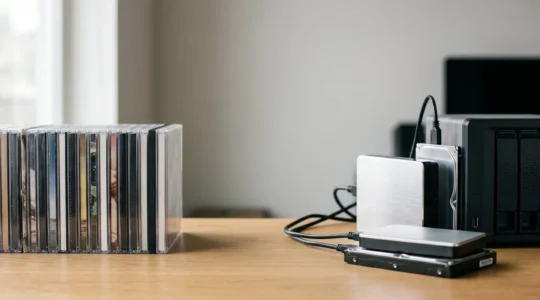
Lossless Formats: FLAC vs ALAC for Archiving a CD Collection?
The choice between FLAC and ALAC is less about sound quality and more about your long-term archival strategy; for maximum data integrity, FLAC is the superior choice. FLAC’s built-in file integrity checks (checksums) offer a crucial advantage for long-term preservation…
Read more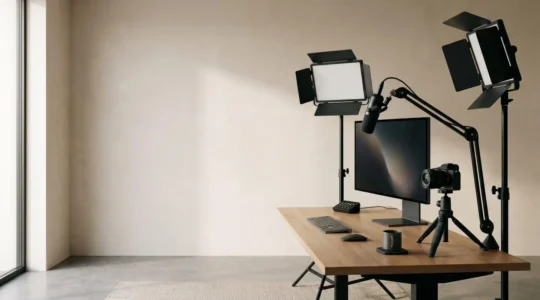
Elevating Streaming Quality: How to Light a Home Studio Without Overheating?
Achieving broadcast quality in a small bedroom studio isn’t about buying more expensive gear; it’s about mastering the technical systems of light, heat, audio, and data like a broadcast engineer. Manage heat not as a nuisance, but as a “thermal…
Read more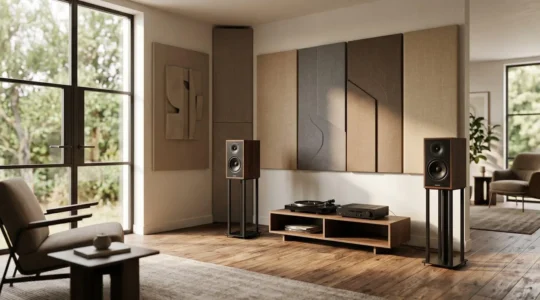
Premium Hi-Fi Audio & 4K Video: Is Acoustic Treatment More Important Than Expensive Speakers?
Contrary to endless debates, the question isn’t whether to buy better speakers or acoustic panels. The real key to unlocking high-end audio is mastering Return on Acoustic Investment (ROAI). Your room introduces more distortion, frequency peaks, and nulls than most…
Read more
Why Do AMOLED Panels Eliminate Eye Strain for Late-Night Reading?
You’ve been told that Dark Mode is the ultimate fix for late-night reading eye strain. The truth is more complex. The real culprit is the subconscious “visual noise” from an LCD’s constant backlight, even in dark scenes. This article explains,…
Read more
What Bandwidth Do You *Really* Need for 4K Netflix? Hint: It’s Not 25 Mbps
The 25 Mbps rule for 4K streaming is a marketing simplification; achieving buffer-free quality depends more on eliminating hidden bottlenecks within your home network than on your raw internet speed. Codec differences (AV1 vs. HEVC) and ISP traffic shaping have…
Read more