New Gadgets & Technologies
The landscape of consumer technology has shifted dramatically in recent years. What once seemed like science fiction—watches that monitor your heart rhythm, homes that adjust lighting based on your presence, phones that fold in half—has become readily available hardware sitting on retail shelves. Yet with this abundance comes complexity: understanding which technologies genuinely improve daily life versus those that merely add unnecessary complication requires careful examination.
This comprehensive resource explores the most significant categories of new gadgets and technologies currently reshaping how we monitor health, manage our homes, and interact with mobile devices. From IoT biosensors that keep elderly relatives safe to Matter protocol hubs that finally unify fragmented smart home ecosystems, we’ll demystify the practical applications, common challenges, and key decision factors for each technology domain.
Whether you’re considering your first smartwatch, planning a smart home upgrade, or evaluating whether foldable phones have matured enough for mainstream use, this guide provides the foundational knowledge you need to navigate these emerging technologies with confidence.
Health Monitoring Technologies for Vulnerable Populations
One of the most impactful applications of modern gadgetry lies in remote health monitoring, particularly for elderly individuals living independently. IoT biosensors represent a fundamental shift from reactive to proactive care, continuously tracking vital signs and detecting anomalies before they become emergencies.
How IoT Biosensors Work in Practice
These devices combine multiple sensors—accelerometers for fall detection, heart rate monitors, and sometimes even bed-based pressure sensors—with cloud connectivity that alerts caregivers or emergency services when predefined thresholds are breached. The technology addresses a genuine concern: an elderly person who falls at night may be unable to reach a phone, but a wearable bracelet can automatically trigger assistance.
However, implementation challenges exist. Calibration errors can send false alarms that waste emergency resources and create alert fatigue among family members. Cloud-based health data requires robust security beyond simple passwords—two-factor authentication and end-to-end encryption have become essential safeguards against unauthorized access to sensitive medical information.
Choosing Between Wearable and Environmental Sensors
Families often face a choice between wearable bracelets and bed sensors for dementia patients. Wearables provide comprehensive coverage throughout the day but require the person to consistently wear the device—a challenge with dementia patients who may remove unfamiliar items. Bed sensors avoid this compliance issue but only monitor during sleep hours, creating coverage gaps during daytime falls or wandering incidents.
The most effective systems often combine both approaches: environmental sensors for nighttime monitoring paired with daytime wearables, with smart home integration that triggers lights automatically if a fall is detected at night, helping both the fallen individual and arriving responders navigate safely.
Hybrid Smartwatches: Balancing Features and Battery Life
Traditional smartwatches face a persistent criticism: their battery life rarely exceeds two days, creating charging anxiety that defeats the purpose of all-day health monitoring. Hybrid smartwatches emerged as a compelling middle ground, offering select smart features while maintaining the aesthetic and endurance of analog watches.
The 30-Day Advantage
While flagship smartwatches typically last 18-24 hours under normal use, hybrid models routinely achieve 30 days or more on a single charge. They accomplish this through selective feature implementation: analog hands for timekeeping (requiring minimal power), with a small digital display or smartphone connectivity reserved for notifications, activity tracking, and health metrics. This architecture means you can wear the watch continuously for sleep tracking and heart rate monitoring without the nightly charging ritual.
For office environments where visible smartwatch screens can seem unprofessional during meetings, hybrids maintain the appearance of traditional timepieces while quietly delivering filtered notifications—you can configure them to buzz only for VIP emails or priority contacts, reducing digital distraction without missing critical messages.
Trade-Offs and Practical Limitations
The hybrid approach involves compromises. The small digital displays often suffer from poor readability in direct sunlight, making outdoor use frustrating. The analog hands can drift out of sync with actual time, requiring periodic manual calibration through the companion smartphone app. When comparing specific models like the Garmin Vivomove versus Withings ScanWatch, health sensor accuracy varies significantly—the ScanWatch includes medical-grade ECG and SpO2 sensors, while the Vivomove focuses more on fitness metrics with less clinical precision.
SpO2 Monitoring: Understanding Blood Oxygen Levels
Blood oxygen saturation (SpO2) has moved from hospital equipment to consumer wearables, but understanding what these numbers mean—and when to act on them—requires context that most devices fail to provide adequately.
Why SpO2 Matters Beyond COVID
While the pandemic increased public awareness of pulse oximetry, SpO2 tracking has valuable applications for athletes training at high altitudes, individuals with respiratory conditions, and anyone monitoring cardiovascular fitness. During high-altitude training in mountainous regions, tracking how your body acclimatizes to reduced oxygen levels helps optimize training intensity and identify dangerous drops that signal altitude sickness.
Many users notice their SpO2 drops during sleep, sometimes triggering unnecessary anxiety. Slight nocturnal decreases are often normal, but persistent drops below 90% warrant consultation with a healthcare provider—this could indicate sleep apnea or other respiratory issues requiring medical intervention.
Accuracy Challenges with Wrist-Based Sensors
Consumer smartwatches measure SpO2 differently than medical-grade pulse oximeters. Wrist-based optical sensors struggle with several variables:
- Poor circulation in cold weather reduces sensor accuracy—many users find readings fail completely during winter outdoor activities
- Incorrect wearing position affects light penetration through skin—the device must sit snugly on your wrist, positioned precisely according to manufacturer guidelines
- Movement during running or exercise creates motion artifacts that corrupt readings
For COVID monitoring or medical decision-making, dedicated fingertip pulse oximeters remain more trustworthy than smartwatch measurements, though the latter suffice for tracking trends during cardio training when you’re adjusting workout intensity based on daily oxygen saturation patterns.
Smart Lighting Systems With Motion Detection
Motion-activated lighting represents one of the most immediately practical smart home applications, delivering both energy savings and convenience—when implemented correctly. Poorly configured systems create frustration rather than comfort.
The Economics and Mechanics
Motion sensors paired with smart bulbs or switches can genuinely reduce electricity consumption by ensuring lights operate only when rooms are occupied. Households report annual savings ranging from modest amounts to several hundred pounds, depending on home size and previous lighting habits. The technology works through passive infrared (PIR) sensors that detect heat signatures from moving bodies, triggering connected lights via protocols like Zigbee or Wi-Fi.
The protocol choice matters: Zigbee sensors typically react faster than Wi-Fi alternatives when you enter a room, because they use a mesh network specifically designed for low-latency home automation rather than competing for bandwidth on your crowded home Wi-Fi network.
Common Configuration Mistakes
The infamous “waving your arms in the toilet” scenario stems from incorrect delay settings. Motion sensors need sufficient timeout periods to keep lights on during stationary activities, but not so long that they waste energy after you’ve left. Most systems allow customization: shorter delays for hallways (30-60 seconds), longer for bathrooms and living areas (5-10 minutes).
Pets trigger another common complaint—cats wandering hallways at 3 AM activate lights and disturb sleeping households. Advanced sensors can filter detections based on heat signature size and movement patterns, or you can configure nighttime automations to trigger dim nightlights instead of full beams, providing enough illumination for human navigation without creating jarring brightness.
One technical challenge in older homes: many lack neutral wires in switch boxes, a requirement for most smart switches. This limitation typically requires either wireless battery-powered switches, special no-neutral-compatible switches, or professional rewiring—research your home’s wiring before purchasing equipment.
Matter Protocol: The Future of Smart Home Integration
Smart home fragmentation has frustrated consumers for over a decade. Devices requiring separate apps, incompatible ecosystems forcing allegiance to single manufacturers, and cloud dependencies that break functionality during internet outages created unnecessary complexity. The Matter protocol aims to solve these fundamental interoperability problems.
How Matter Unifies Competing Ecosystems
Matter establishes a common language that allows Apple, Google, Amazon, and Samsung devices to work together seamlessly. A Matter-certified smart lock can be controlled through Apple HomeKit, Google Home, or Amazon Alexa simultaneously, without requiring separate integrations for each platform. This means you’re no longer locked into a single ecosystem—you can choose the best device in each category regardless of manufacturer.
The protocol operates over Thread networking, a low-power mesh standard requiring a border router (often built into newer smart speakers like the Apple HomePod or Google Nest Hub). Thread provides faster response times than traditional Wi-Fi smart devices because it creates a dedicated mesh specifically for home automation, with each device acting as a relay to extend network coverage.
Practical Migration and Benefits
If you’ve invested in older Zigbee devices, many Matter hubs support bridging—converting Zigbee bulbs and sensors into the Matter network without replacing hardware. This migration path protects previous investments while gaining Matter’s interoperability advantages.
The most compelling benefit appears during internet outages. Because Matter automations can run locally on the hub without cloud connectivity, your motion-activated lights, door locks, and temperature controls continue functioning even when your ISP experiences downtime—a stark improvement over cloud-dependent systems that become useless without internet access.
One minor inconvenience: Matter devices use QR code stickers for initial pairing. If you lose this sticker, resetting the Matter pairing code typically requires a factory reset of the device, so photograph QR codes immediately upon unboxing and store images securely.
Smart Lock Technology: Security and Convenience
Replacing mechanical locks with smart alternatives promises keyless convenience, but introduces questions about security vulnerabilities, insurance implications, and backup access methods that require careful consideration.
Insurance and Certification Requirements
Some home insurance policies include specific requirements for smart locks. In the UK, insurers often mandate locks bearing the TS621 Kitemark—a British Standard certification ensuring the device meets minimum security requirements for forced entry resistance and electronic tampering protection. Installing non-certified locks may void coverage, leaving you financially exposed during burglary claims. Always verify insurance policy requirements before purchasing smart lock hardware.
Security Vulnerabilities and Mitigations
Smart locks face attack vectors that mechanical locks don’t: Bluetooth relay attacks allow thieves to intercept and amplify the signal between your phone and lock, potentially unlocking doors from distances beyond the intended range. High-quality locks implement encryption and rolling codes that make replay attacks ineffective, but cheaper models may lack these protections.
The temporary access feature addresses a genuine need—granting cleaners, contractors, or guests time-limited entry without duplicating physical keys. You can issue one-time codes or schedule-based access that automatically expires, maintaining security while enabling convenient service provider entry.
The Battery Dead Scenario
A common concern: what happens when your phone battery dies and you can’t unlock your smart lock? Quality systems address this through multiple backup methods:
- Physical key override (most models include a traditional keyhole)
- Numeric keypad for PIN code entry independent of smartphone
- Integration with video doorbells allowing remote unlocking after visual verification of visitors
The verification-before-unlock automation represents smart home integration at its best—motion detected at the door triggers your camera, sends video to your phone, and allows you to remotely unlock only after confirming the visitor’s identity.
Foldable Smartphones: Innovation Meets Practicality
Foldable phones have transitioned from fragile prototypes to increasingly viable mainstream devices, but durability concerns and usability quirks still require honest assessment before committing to typically expensive 24-month contracts.
Durability for Long-Term Contracts
Early foldable screens suffered from premature failures, but recent generations show significant improvement. The primary vulnerability remains the flexible display layer—softer than traditional glass, making it susceptible to scratches from sharp objects and damage from pressure. Manufacturers now rate hinges for hundreds of thousands of folds, suggesting they should survive typical contract periods, but the screen’s plastic layer demands careful handling.
The visible crease at the fold point presents an interesting optical phenomenon: it’s conspicuous in bright outdoor lighting but virtually disappears indoors under ambient illumination. This isn’t a defect but rather a consequence of how reflected light interacts with the curved surface—something to accept rather than attempt to fix.
Practical Usage Considerations
Cleaning requires special attention—standard glass cleaners and abrasive cloths will scratch the plastic display layer. Use only microfiber cloths with gentle pressure, avoiding any cleaning fluids unless explicitly approved by the manufacturer.
Form factor choice depends on personal preference and use case. Clamshell designs (folding horizontally like old flip phones) create compact squares that fit easily in skinny jeans pockets, while book-style folds (opening like a book) provide tablet-sized screens but create thicker, taller pocket profiles. Consider your typical carrying method before choosing.
Beach environments present a particular hazard: sand particles entering the hinge mechanism can scratch the display and damage folding components. The engineering tolerances required for smooth folding action create small gaps where particles can intrude—foldables genuinely require more careful environmental consideration than sealed traditional phones.
Software Optimization Challenges
Many Android apps haven’t been optimized for foldable aspect ratios, resulting in awkward letterboxing or stretched interfaces. Most foldables include settings to force apps into full-screen mode, but this sometimes creates layout problems with poorly positioned buttons or text. The situation improves as developers update apps, but expect occasional frustration with legacy or niche applications.
Compact and Pocket-Sized Phones: The Case for Smaller Devices
While most manufacturers chase ever-larger screens, a persistent minority of users seek genuinely pocket-sized devices under 6 inches with flagship specifications—a combination increasingly rare in current product lineups.
The One-Handed Usability Problem
Large phones create ergonomic challenges for everyday tasks. Reaching the top notification bar without stretching your thumb or adjusting your grip becomes impossible on devices exceeding certain dimensions, forcing two-handed operation for basic interactions. Compact phones restore one-handed utility, allowing you to check notifications, respond to messages, or navigate apps while holding a coffee or subway handle with your other hand.
Modern manufacturers have implemented software solutions—swipe gestures to pull down notifications, floating keyboards that can be resized and repositioned to reduce typing errors on small displays—but these only partially address the fundamental physics of hand size versus screen dimensions.
Technical Compromises in Compact Designs
Fitting high-end specifications into constrained chassis creates inevitable trade-offs:
- Battery capacity suffers from simple volumetric constraints—smaller bodies hold smaller batteries, and when combined with power-hungry 5G radios, compact phones often struggle to last a full day under heavy use
- Thermal management becomes challenging when gaming or running intensive apps, as compact chassis have less surface area for heat dissipation, leading to throttling and reduced performance
- Camera sensor size and lens configurations face physical limitations—manufacturers can’t fit the large sensors and complex multi-lens arrays found in larger flagships
When comparing specific compact models like the Asus Zenfone series versus Samsung Galaxy S base variants, camera quality often represents the most significant differentiator, with larger phones accommodating superior optical systems that produce noticeably better photos in challenging lighting conditions.
The compact phone market remains niche but persistent, serving users who prioritize portability and one-handed use over maximum screen real estate. If you’re among this group, accepting slightly reduced battery life and camera performance becomes worthwhile for the ergonomic and pocketability benefits.
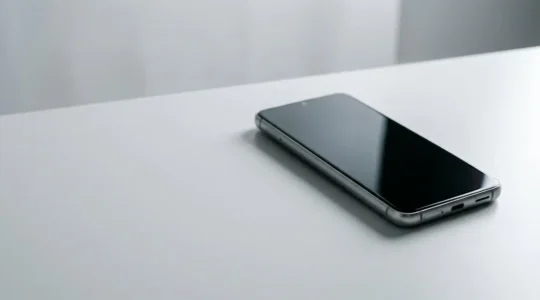
The Search for the Perfect Pocket-Sized Android: A Guide to High Specs Under 6 Inches
Finding a high-performance compact phone isn’t about discovering a flawless miniature flagship; it’s about strategically managing a series of well-understood compromises. The primary challenges of small phones—battery life, heat, and ergonomics—are rooted in the physics of thermal and energy density….
Read more
Foldable Screens: Are They Durable Enough for a 24-Month Contract?
The durability of a foldable over a 24-month contract isn’t about avoiding a single catastrophic break; it’s about mastering the new rules of ownership for its unique materials. The screen’s crease and softness are inherent material properties, not defects, requiring…
Read more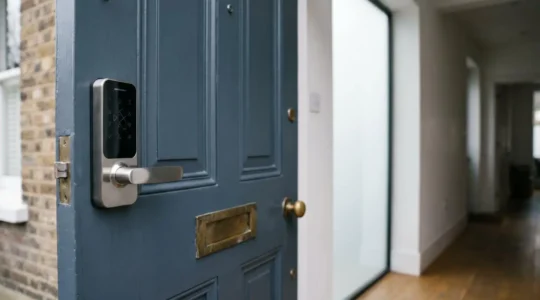
Will a Smart Lock Invalidate Your UK Home Insurance? The Answer Isn’t the Lock Itself
Your smart lock’s compliance with UK insurance isn’t determined by the brand, but by its ability to prove an unbroken “chain of security custody” to your insurer. A certified smart lock (TS 621 Kitemark) is the baseline, equivalent to the…
Read more
Matter Hubs: How to Unify Apple and Google Devices in One Smart Home?
Unifying Apple and Google devices with Matter isn’t about buying a new hub; it’s about mastering your home’s underlying network architecture to avoid performance bottlenecks and lost features. Success depends on a robust Thread network, not just Wi-Fi, for instant…
Read more
How Can Motion Sensors Cut Your UK Electricity Bill by £200 a Year?
Simply installing a motion sensor won’t guarantee £200 in savings; mastering its system calibration is the key to unlocking true energy efficiency in your UK home. Pet-proofing, setting correct lighting delays, and creating dim nightlight scenes are crucial for preventing…
Read more
Why Tracking SpO2 Levels Matters for High-Altitude Training in Scotland?
For athletes in the Scottish Highlands, obsessing over a single SpO2 number from your watch is a mistake; the key is building a decision-making framework around inherently flawed data. Wrist-based sensors are wellness tools for tracking trends, not medical-grade devices…
Read more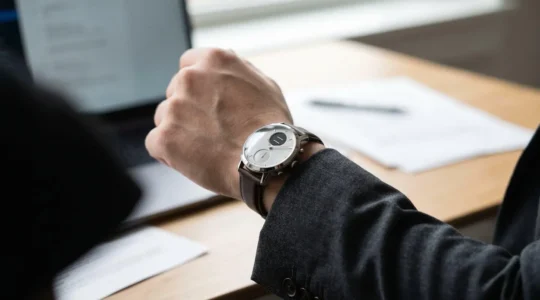
Hybrid Smartwatches: The Best Choice for Office Wear Without Charging Daily?
Hybrid smartwatches solve the professional’s dilemma by offering critical data without the constant, distracting glow of a full-color screen. They achieve up to 30-day battery life by pairing physical analog hands with low-power secondary displays, a feat impossible for power-hungry…
Read more
How Can IoT Bio-Sensors Effectively Monitor an Elderly Relative Living Alone?
Contrary to popular belief, the best remote care for an elderly parent isn’t a single fall-detection pendant, but a resilient, privacy-first system you intelligently design. Passive, non-wearable sensors often provide more reliable data for nighttime events and for individuals with…
Read more