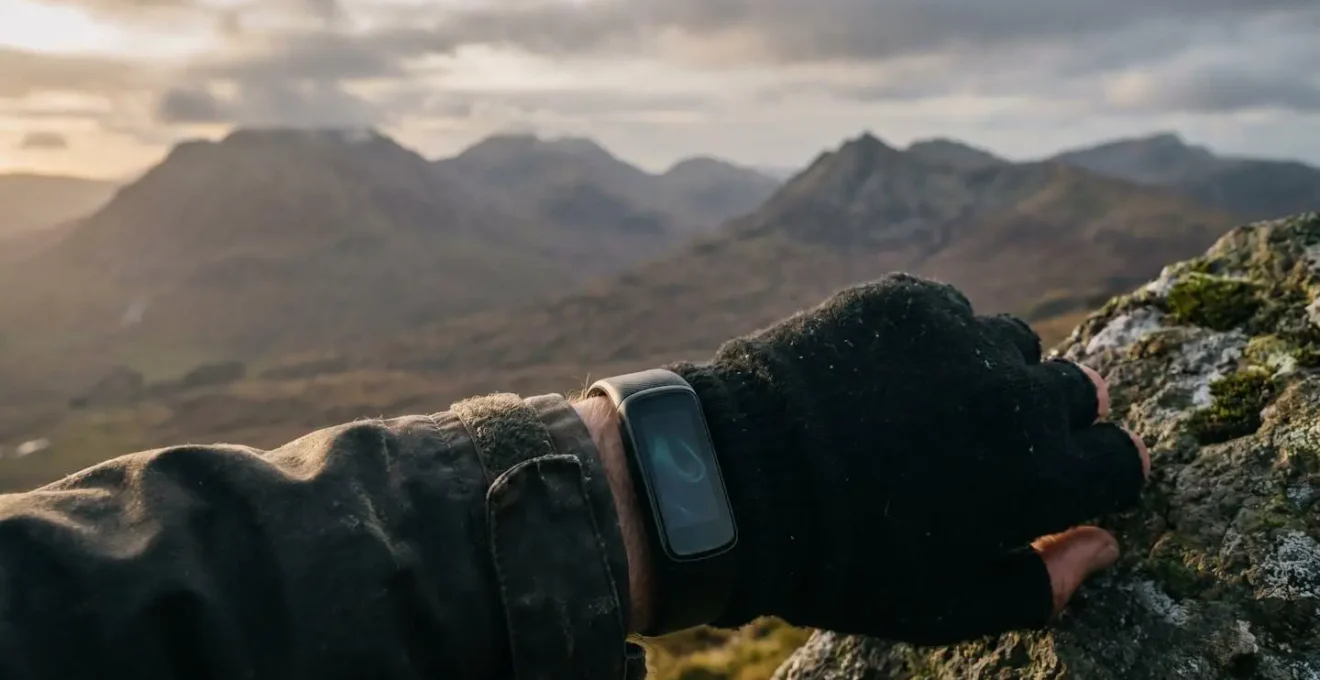
For athletes in the Scottish Highlands, obsessing over a single SpO2 number from your watch is a mistake; the key is building a decision-making framework around inherently flawed data.
- Wrist-based sensors are wellness tools for tracking trends, not medical-grade devices for spot-checks, especially in cold and damp conditions.
- Physiological and environmental factors, like cold-induced vasoconstriction, directly impact sensor accuracy and battery performance in the mountains.
Recommendation: Develop a personal monitoring protocol by establishing your sea-level baseline and tracking SpO2 trends alongside heart rate to make informed decisions about training intensity and acclimatisation.
As a sports physiologist working with endurance athletes, I see a common pattern: you invest in a top-tier smartwatch, head for a training block in the Cairngorms or Glen Coe, and come back confused. Your device reports alarming drops in blood oxygen saturation (SpO2), your phone battery plummets in the cold, and the data, meant to empower, becomes a source of anxiety. You’ve heard the generic advice to “keep your watch warm” or “blame the altitude,” but this barely scratches the surface.
These platitudes fail to address the core issue. The challenge isn’t just about getting a perfectly accurate number. In the harsh, unpredictable environment of the Scottish mountains, that’s often impossible. The real key, and the focus of this guide, is understanding *why* your technology falters and how to build a robust system to interpret this imperfect data. Instead of blindly trusting a single reading, we’ll explore how to use trends, cross-reference metrics, and apply physiological principles to make smarter decisions about your training, acclimatisation, and safety. This is about moving beyond the numbers and developing true athletic intelligence in the field.
This guide delves into the science behind SpO2 fluctuations, the technical limitations of your devices in a British winter, and the practical protocols you can implement immediately. We will cover everything from interpreting nocturnal SpO2 dips to optimising your phone’s battery life when you’re miles from a signal.
Contents: A Physiologist’s Guide to SpO2 Tracking in the Highlands
- Why Your SpO2 Drops at Night and When to See a GP?
- How to Wear Your Tracker Correctly to Avoid False SpO2 Readings While Running?
- Pulse Oximeter vs Smartwatch: Which Can You Trust for COVID Monitoring?
- The Circulation Issue That Makes Wrist Sensors Fail in British Winters
- How to Adjust Your Cardio Intensity Based on Daily Oxygen Saturation?
- Wearable Bracelet or Bed Sensor: Which Is Better for Dementia Patients?
- 5G Auto vs 5G On: Which Setting Saves Battery on a Commute?
- Battery Health Optimization: Why Does Your Phone Die at 20% in British Winters?
Why Your SpO2 Drops at Night and When to See a GP?
For any athlete training at altitude, one of the first and most noticeable physiological changes occurs during sleep. It’s common to see your nightly SpO2 average dip, which is a direct response to the lower partial pressure of oxygen. In fact, research on athletes sleeping at simulated altitude shows that SpO2 levels decrease significantly on the first night and can remain depressed for over two weeks, failing to return to baseline levels even after partial acclimatisation. This is a normal part of the body’s initial struggle to adapt.
However, this physiological stress is not without consequence. The “so what?” of this nocturnal dip is its impact on recovery. A recent 2024 study on athletes highlighted that sleeping in hypoxic (low-oxygen) conditions can fragment sleep, increasing wakefulness and potentially reducing sleep efficiency by 10-20%. This impaired sleep quality directly hampers recovery, as restricted sleep is known to increase cardiac stress and suppress the very protein synthesis rates necessary for muscle repair. Your body is working harder just to rest, which can leave you feeling fatigued and under-recovered for the next day’s training.
So, when should you be concerned? For a healthy athlete, transient dips in SpO2 at altitude are expected. The time to consult a GP is not about altitude-induced changes, but about your sea-level baseline. If, at your normal elevation, your SpO2 consistently reads below 95% at rest, or if you experience symptoms like severe shortness of breath, confusion, or bluish lips, medical advice is warranted. At altitude, listen to your body: severe headaches, nausea, or extreme lethargy are red flags of acute mountain sickness (AMS) that override any data from your watch.
How to Wear Your Tracker Correctly to Avoid False SpO2 Readings While Running?
A common complaint I hear from runners is “my SpO2 plummeted mid-run, should I be worried?” More often than not, the culprit isn’t a sudden physiological crisis but an issue of “garbage in, garbage out.” Wrist-based optical sensors are notoriously susceptible to motion, cold, and poor fit, all of which are amplified when running in the Scottish Highlands. An ill-fitting watch on a cold day can create an air gap between the sensor and your skin, or motion can cause the watch to slide, leading to wildly inaccurate, often frighteningly low, readings.
To get the most reliable data possible from your device, especially during high-intensity activity in the cold, you need a strict protocol. It’s not just about strapping it on and going; it’s about creating the optimal conditions for the sensor to work.
As the image suggests, a snug fit on warmed skin is paramount. The goal is to minimise sensor movement and ensure consistent, strong blood flow at the measurement site. Follow these steps to improve your data quality:
- Pre-warm your wrist: Before starting your run, ensure your wrist is warm. Walk briskly for five minutes or keep your watch under a sleeve to get blood flowing. A cold wrist means constricted vessels and a weaker signal for the sensor.
- Adjust strap tightness for the cold: Wear the watch tighter and higher on your wrist (about a finger’s width above the wrist bone) than you would in summer. This ensures constant contact even as your blood vessels constrict.
- Allow for a warm-up period: Avoid starting your activity tracking the second you step outside. Give your body and the watch a few minutes to acclimatise before you hit ‘start’ to avoid chaotic initial readings.
- Cross-check your readings: If you see a sudden, dramatic drop in SpO2, check it against your other metrics. Is your heart rate also behaving erratically? How does your rate of perceived exertion (RPE) feel? If you feel fine and other metrics are stable, it’s almost certainly a sensor error.
Pulse Oximeter vs Smartwatch: Which Can You Trust for COVID Monitoring?
The COVID-19 pandemic brought pulse oximetry into the mainstream, with many people using SpO2 readings to monitor their respiratory health. This has led to a critical question: can you trust your consumer smartwatch for this purpose, or is a medical-grade pulse oximeter necessary? As a physiologist, my answer is unequivocal: for any medical assessment, a dedicated, certified device is the only trustworthy option. For general wellness tracking, a smartwatch is a useful tool for monitoring trends.
The difference lies in the underlying technology and regulatory oversight. Medical-grade pulse oximeters that clip onto a fingertip use transmittance technology, passing light *through* your tissue for a highly accurate reading. Smartwatches use reflectance technology, bouncing light off the blood vessels just under your skin. This method is far more susceptible to interference from skin tone, tattoos, motion, and ambient temperature. The following table breaks down the key distinctions:
| Feature | Medical-Grade Pulse Oximeter | Consumer Smartwatch |
|---|---|---|
| Technology Type | Transmittance (light passes through tissue) | Reflectance (light bounces back from tissue) |
| FDA Regulation | Yes – Requires rigorous testing on diverse populations | No – Marketed as wellness devices |
| Accuracy Rate | ~2% margin of error | 78.5%-84.9% accuracy |
| Factors Affecting Accuracy | Minimal – designed for clinical use | Skin tone, motion, temperature, device fit |
| Best Use Case | Medical diagnosis and spot-checking symptoms | Trend monitoring and general wellness tracking |
| Field Durability | Simple, robust, longer battery life | Multiple functions but shorter battery in cold conditions |
| Emergency Data Sharing | Easy – single number can be relayed verbally | Complex – requires explaining trends or graphs |
The accuracy gap is not trivial. A startling 2024 Mayo Clinic study found that the Apple Watch Series 7, while excellent at confirming when a patient was *not* hypoxic (97.5% specificity), had a sensitivity of only 34.8% for detecting hypoxia in hospitalized COVID-19 patients. In plain English, it missed the mark on identifying low oxygen levels nearly two-thirds of the time. While these devices are fantastic for tracking your SpO2 trend during acclimatisation or sleep, they should never be used to make a critical medical diagnosis.
The Circulation Issue That Makes Wrist Sensors Fail in British Winters
Every athlete who trains through a Scottish winter knows the feeling: numb fingers and toes. This is your body’s intelligent survival mechanism, peripheral vasoconstriction, in action. To preserve core body temperature, your body reduces blood flow to your extremities. While this is great for survival, it’s terrible for wrist-based SpO2 sensors. These sensors rely on a steady, strong pulse of oxygenated blood in the superficial capillaries of your wrist to get a reading. When blood flow is reduced, the signal becomes weak, noisy, and unreliable.
The impact is significant. Even in moderately cool conditions, sensor accuracy research indicates that cold weather can reduce SpO2 accuracy by up to 10%. This is because the photoplethysmography (PPG) sensors in your watch are measuring changes in light reflection, which directly correspond to the volume of blood pulsing through the tissue. Less blood means a weaker “pulse” for the sensor to read, leading to errors.
A fascinating 2026 study in *Scientific Reports* demonstrated this perfectly. Researchers induced localized cold stress on subjects’ skin and measured the PPG signal. They found that cold exposure caused a significant reduction in PPG peak amplitudes. This confirms that as your body shunts blood away from the skin on your wrist to stay warm, the quality of the data your watch receives plummets. This is the scientific reason your watch can’t get a reading or shows a sudden, unexplained drop in SpO2 when you’re standing on a windy summit, even if you feel fine. It’s not a failure of your lungs; it’s a failure of the sensor to cope with your body’s natural response to the cold.
How to Adjust Your Cardio Intensity Based on Daily Oxygen Saturation?
So, you have this fluctuating, often unreliable stream of SpO2 data. How do you turn it into a practical tool to guide your training? The goal is not to react to every minor dip but to use the data as one part of a holistic “readiness” assessment. For altitude training, SpO2 can help you gauge your acclimatisation and decide whether to push harder, maintain, or recover. During sea-level exercise, a normal SpO2 reading is between 92-97%; however, research on altitude physiology demonstrates that SpO2 can drop below 80% during intense training at elevation, indicating significant hypoxic stress.
The key is to create a personal protocol. A single SpO2 reading in isolation is meaningless. It only becomes valuable when compared against your own baseline and in the context of other metrics like Resting Heart Rate (RHR) and Heart Rate Variability (HRV). For instance, if your morning SpO2 is lower than usual, your RHR is elevated, and your HRV is down, that’s a strong signal your body is under stress and a high-intensity session might be counterproductive. Conversely, if your SpO2 is steadily climbing back towards your sea-level baseline after a few days at altitude, it’s a good sign your body is adapting and you can consider increasing the training load.
This process requires a structured approach. You need to be systematic in how you collect and interpret the data to avoid making poor training decisions based on noisy signals. The following checklist provides a framework for integrating SpO2 into your training decisions.
Action Plan: Your SpO2 Altitude Training Protocol
- Establish a sea-level baseline: For at least two weeks before your trip, collect daily morning SpO2, RHR, and HRV data to understand your personal ‘normal’ range at rest.
- Track saturation changes at altitude: Upon arrival at elevation, continue daily monitoring. Note the initial drop and track its progression. For optimal training stimulus during sleep, a saturation of 88-92% is often the target range.
- Monitor adaptation over time: True acclimatisation is visible in the data. Look for your SpO2 to gradually increase and eventually plateau after about 7-10 days. This plateau indicates your body has reached a new homeostasis.
- Combine SpO2 with complementary metrics: Never rely on SpO2 alone. Pair it with RHR and HRV to create a daily readiness score. A low SpO2 with a high RHR is a clear sign to reduce intensity.
- Wait for stabilization before increasing load: Be patient. Avoid the temptation to jump into hard training on day one. Wait until your daily SpO2 starts to plateau before ramping up intensity to prevent overtraining and reduce the risk of altitude sickness.
Wearable Bracelet or Bed Sensor: Which Is Better for Dementia Patients?
While the specific needs of monitoring a person with dementia seem a world away from tracking an athlete scaling a Munro, the underlying technological challenges—remote tracking, long battery life, and reliable connectivity in difficult environments—share surprising parallels. The mature assisted-living technology market has, out of necessity, solved problems that the consumer outdoor tech world is still grappling with. This provides a valuable perspective for any athlete concerned with remote safety.
As experts from Wearable Technology Research noted in the PatentPC Blood Oxygen & Heart Rate Monitor Analysis, “The mature assisted-living tech market has achieved battery life, fall detection algorithms, and reliable connectivity in low-signal areas that outdoor tech is only beginning to replicate.” This is a crucial insight. Devices designed for vulnerable individuals prioritise robustness and reliability above all else. They feature long-life batteries, sophisticated fall-detection algorithms tested over years, and often use cellular or satellite networks designed for low-bandwidth, high-reliability communication.
For the solo hiker or trail runner in the Scottish Highlands, this means looking beyond the feature set of a standard smartwatch. While your watch is great for tracking performance, a dedicated Personal Locator Beacon (PLB) or a satellite messenger is a tool borrowed from this “safety-first” design philosophy. These devices do one or two things perfectly: determine your location via GPS and transmit a distress signal via a reliable network. They don’t track your sleep or show notifications; they provide a lifeline. The choice isn’t about a single “better” device, but about building a safety system with planned redundancy.
Thinking like an engineer designing for a critical-need user forces you to prioritise. What is the most critical function needed in an emergency? For an athlete in a remote location, it’s communication and location. Therefore, supplementing your performance-tracking wearable with a dedicated, robust safety device is a far more resilient strategy than relying on a single, multi-function gadget that is a jack of all trades but master of none, especially when your safety is on the line.
5G Auto vs 5G On: Which Setting Saves Battery on a Commute?
For most smartphone users, the question of “5G Auto” versus “5G On” is one of balancing speed with battery life during an urban commute. On “Auto,” your phone intelligently switches to 5G only when high-speed data is needed, otherwise using LTE to save power. On “On,” it constantly searches for and prioritises a 5G signal, draining the battery faster. For a city commuter, “Auto” is almost always the correct setting for battery conservation.
However, for a hillwalker or trail runner, the ‘commute’ is a path through Glen Coe or Torridon, and the context changes entirely. In these vast, remote areas of the Highlands, a stable 5G signal is non-existent. Setting your phone to “5G On” or even “5G Auto” is an invitation for catastrophic battery drain. Your phone will waste an enormous amount of power constantly searching for a network it will never find, leaving you without a crucial safety device when you might need it most. In the mountains, you need to take manual control.
Adopting a “Mountain Mode” for your phone is essential for multi-day trips or long days out. This isn’t a built-in feature but a protocol you implement to maximise battery life. The goal is to stop the phone from performing unnecessary, power-hungry tasks, with network searching being the primary offender.
- Force your phone to 4G/LTE mode: Before you lose signal, go into your cellular settings and manually select 4G/LTE. This prevents the phone from wasting energy searching for 5G.
- Enable Low Power Mode: This system-wide setting is your best friend. It reduces background activity, mail fetch, and other non-essential processes.
- Disable Background App Refresh: Go through your settings and turn this feature off, either globally or for non-essential apps. Apps refreshing in the background are a silent battery killer.
- Turn off Wi-Fi and Bluetooth: If you’re not using them, turn them off. Your phone constantly scanning for Wi-Fi networks or Bluetooth devices in the middle of Rannoch Moor is a pointless waste of power.
- Use Airplane Mode strategically: For sections of your journey where you need GPS for navigation but have no need for communication, airplane mode is the ultimate battery saver. Many navigation apps can use the GPS chip even in airplane mode if maps are pre-loaded.
Key Takeaways
- Wrist-based SpO2 is a wellness tool for monitoring trends, not a medical device for diagnosis; its accuracy is highly compromised by cold and motion.
- Cold-induced peripheral vasoconstriction is the primary physiological reason wrist sensors fail in British winters, as reduced blood flow leads to poor signal quality.
- A personal monitoring protocol, combining SpO2 with RHR and HRV against a pre-established baseline, is far more valuable than any single, isolated reading.
Battery Health Optimization: Why Does Your Phone Die at 20% in British Winters?
There’s no feeling quite like it: you’re navigating off a summit in the cold, your phone says you have 20% battery left, and then it abruptly dies. This isn’t a glitch; it’s a predictable consequence of lithium-ion battery chemistry in the cold. Understanding this phenomenon is key to not getting caught out in the mountains. As a physiologist, I stress that mastering your equipment is as vital as physical conditioning.
The core of the problem is that the electrochemical reactions inside a lithium-ion battery slow down dramatically as the temperature drops. Cold temperatures increase the battery’s internal resistance, which causes a voltage drop. Your phone’s software interprets this lower voltage as a sign that the battery is nearly empty, even if it still holds a significant charge. This is why a phone can shut down at a reported 20% or even 30% in freezing conditions. The effect is particularly pronounced below 0°C, where a battery’s effective capacity can be reduced by 20-40% compared to its performance at room temperature. The energy is still in there, but it can’t be delivered fast enough to power the device.
Preventing this requires treating your electronics with the same care as your own body, focusing on insulation. Keeping your phone and power bank in an inside jacket pocket, using your body heat to maintain their operational temperature, is the single most effective strategy. This isn’t just about convenience; it’s about ensuring your primary communication and navigation tool remains functional.
- Keep critical electronics in inside pockets: Store your phone and power bank close to your body to keep them warm.
- Insulate devices when not in use: During breaks, don’t leave your pack in the snow. Wrap electronics in a spare woolly hat or gloves inside your bag.
- Budget your power for the cold: If you need 10,000mAh of power for a summer weekend, plan for at least 15,000mAh for a winter equivalent to account for cold-weather inefficiency.
- Warm devices before charging: When charging a cold phone in a bothy, let it warm up to near room temperature first. Charging a frozen battery can permanently damage it.
- Test everything in the warm: Before leaving, fully charge and test all your electronics to ensure they are working correctly at their baseline.
Ultimately, treating your technology as a critical part of your survival system, and understanding its physiological-like response to the cold, is what separates a prepared mountaineer from a potential statistic.
Stop letting your technology dictate your performance or compromise your safety. Start building your own intelligent monitoring protocol today, accounting for both your body’s physiology and your equipment’s limitations, to train smarter and explore the mountains with confidence.