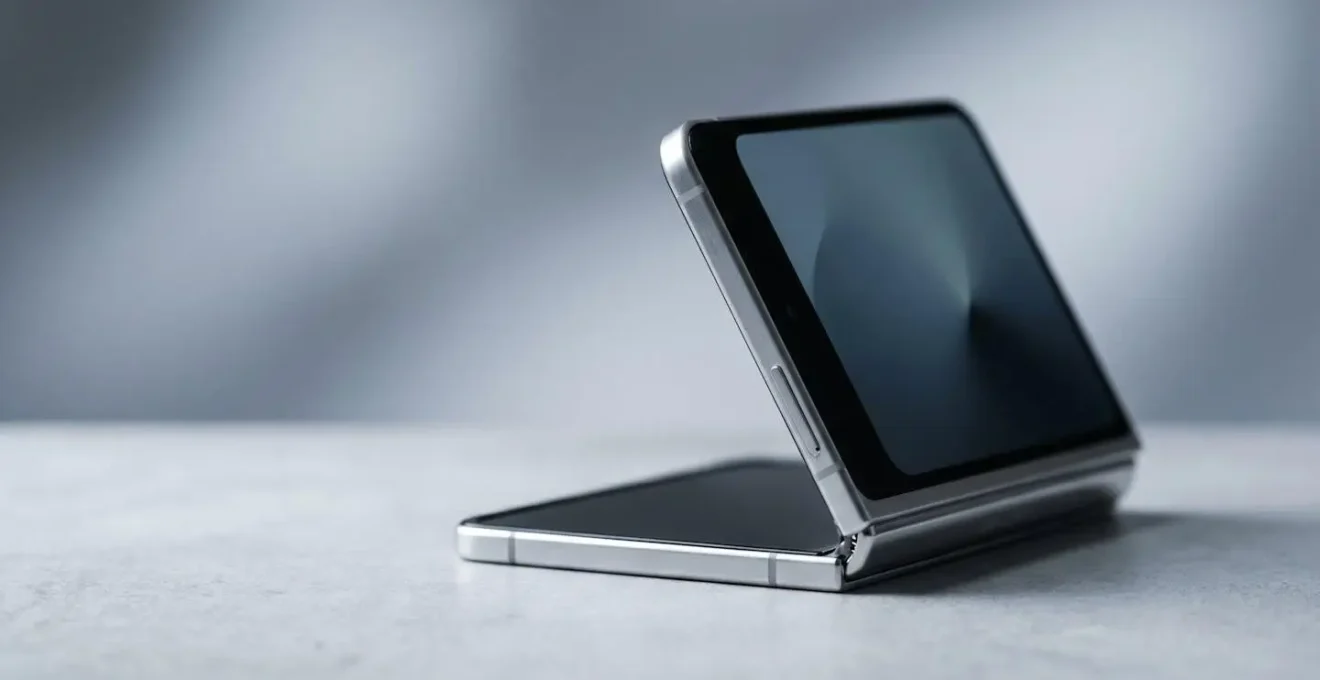
The durability of a foldable over a 24-month contract isn’t about avoiding a single catastrophic break; it’s about mastering the new rules of ownership for its unique materials.
- The screen’s crease and softness are inherent material properties, not defects, requiring specific handling and cleaning protocols.
- The mechanical hinge is the most vulnerable point, with its IP rating being a poor defence against fine particles like sand or dust.
Recommendation: Before committing, assess your personal tolerance for these daily micro-attentions. The device’s longevity is directly tied to your willingness to adapt your habits.
The allure of a foldable phone is undeniable. It’s a glimpse of the future, a productivity powerhouse, and a conversation starter all rolled into one. For early adopters in the UK, the temptation to lock one in on a 24-month contract is stronger than ever. But a nagging question remains, whispered in tech forums and backed by early-generation horror stories: is it truly durable enough to survive two years of daily life? The common advice is to simply “be careful,” but this vague warning is useless when you’re committing to a device for 730 days.
The real conversation isn’t about whether the screen will spontaneously crack. The engineering has improved dramatically. The true test of a foldable’s long-term viability lies in understanding and managing its inherent characteristics. This isn’t a slab of Gorilla Glass; it’s a complex system of flexible polymers, intricate hinges, and software pushing new boundaries. The key to a successful 24-month relationship with a foldable isn’t fear, but knowledge. It’s about moving beyond the question of “if it will break” to “how do I master living with it?”
This guide isn’t another list of generic tips. As durability testers, we’re diving into the engineering realities. We’ll explore the physics of the screen crease, the mechanical tolerances of the hinge, and the practical workflows for its expansive screen. We will equip you with the protocols and understanding needed to make an informed decision, turning you from a worried consumer into a confident, expert owner.
To help you navigate these critical durability and usability aspects, this article is structured to address the most pressing questions. We’ll delve into the specifics of screen care, form factor choices, hidden environmental dangers, and the reality of software optimization, giving you a complete picture before you commit.
Summary: Your Guide to Foldable Durability on a Long-Term Contract
- Why the Screen Crease Is Visible Outdoors but Disappears Indoors?
- How to Clean a Soft Foldable Screen Without Scratching the Plastic Layer?
- Clamshell or Book Style: Which Foldable Fits Better in Skinny Jeans?
- The Hinge Hazard: Why You Should Keep Foldables Away From the Beach?
- How to Force Non-Optimised Apps to Use the Full Foldable Screen?
- How to Prevent Permanent Ghost Images on Your OLED Screen?
- Can Split View Really Replace Command-Tab on a MacBook?
- Split View on iPad: Managing Emails and Spreadsheets Without Losing Focus?
Why the Screen Crease Is Visible Outdoors but Disappears Indoors?
The infamous crease is the first thing sceptics notice, and the first thing owners learn to ignore—mostly. The visibility of the crease is not a defect but a simple matter of physics. The screen is made of multiple layers, including Ultra-Thin Glass (UTG) and a protective polymer. When folded, these layers are put under compression and tension, creating a permanent, gentle channel in the material. It’s a physical deformation, not an optical illusion. Indoors, under diffuse lighting, our eyes and brain do a remarkable job of filtering this out as we focus on the content.
Outdoors, however, the game changes. Direct sunlight acts as a harsh, parallel light source. When this light hits the curved surface of the crease, it reflects at a different angle than the light hitting the flat parts of the screen. This creates a bright line of specular reflection that is impossible for our eyes to ignore. It’s the same principle as seeing a slight dent in a car door more clearly under the sun. The key is understanding it’s a feature of the material, not a sign of failure. In fact, materials science is intensely focused on this, with research on crease features aiming to keep the depression below 60 µm to be considered acceptable.
So, over a 24-month contract, the crease will not magically vanish. You will, however, learn its behaviour. You’ll intuitively angle the screen away from the sun and accept its presence as a small tax for the massive screen real estate. It’s a quirk of a first-generation technology category, a reminder of the engineering trade-offs required to bend glass.
How to Clean a Soft Foldable Screen Without Scratching the Plastic Layer?
If the crease is a visual annoyance, the screen’s softness is a physical vulnerability that demands a new cleaning protocol. You cannot treat a foldable display like the hardened glass of a traditional smartphone. The top layer is a soft polymer, designed to flex a hundred thousand times. It is also, unfortunately, highly susceptible to micro-scratches from improper cleaning. Fingernails, abrasive cloths, and excessive pressure are the enemies of a pristine foldable screen.
Over a 24-month contract, the accumulation of these tiny scratches can dull the display and make the crease appear more prominent. The key is not to clean it less, but to clean it correctly. Forget paper towels or the corner of your t-shirt. The only tool that should touch the inner display is a high-quality, lint-free microfiber cloth. Aggressive chemicals are also a major risk. As the MobileNApps Tech Guide warns, you should “Avoid using rubbing alcohol directly on the screen. This will strip away protective coatings and cause long-term damage.” Distilled water, applied sparingly to the cloth and never directly to the screen, is the strongest solvent you should ever need.
Developing a strict cleaning ritual from day one is non-negotiable for long-term ownership. It’s a two-minute procedure that protects a device worth over a thousand pounds. Mastering this simple protocol is the most effective way to ensure your screen looks as good on day 730 as it did on day one.
Action Plan: Your Foldable Screen Cleaning Protocol
- Power off the device completely before cleaning to prevent static buildup that attracts dust.
- Use only a soft, lint-free microfiber cloth—never paper towels or rough fabrics.
- For stubborn grime, dampen the corner of the microfiber cloth with distilled water only.
- Wipe gently in small circular motions, avoiding excessive pressure on the flexible display.
- Clean the crease area with very light wipes along the crease, never across it.
- For the hinge mechanism, use a soft-bristled brush to gently sweep away trapped particles.
- Pat the screen dry with a fresh microfiber cloth and ensure no moisture remains before powering on.
Clamshell or Book Style: Which Foldable Fits Better in Skinny Jeans?
The durability question extends beyond materials to pure ergonomics and lifestyle fit. The two dominant foldable form factors, clamshell (like the Galaxy Z Flip series) and book-style (like the Galaxy Z Fold series), present very different challenges for daily carry. Your choice here will have a greater impact on your day-to-day experience over a 24-month contract than almost any other specification. The primary question for many prospective UK buyers is a practical one: how will it live in my pocket?
The clamshell is the master of compactness. When folded, it becomes a thick, dense square. It slips easily into a jacket pocket or a small bag. For those who favour tight-fitting trousers or “skinny jeans,” the clamshell’s square shape can create an awkward, bulky-looking lump. While it’s small, its thickness is its main ergonomic drawback. The book-style foldable, conversely, is a paradox. When folded, it’s a tall, narrow, and thick candy bar. It’s often heavier and feels more substantial. In a pocket, it mimics the shape of a large, traditional smartphone, but its thickness and weight are always noticeable. It can feel precarious in shallower pockets and is often more comfortable in a coat or a bag.
As the visual comparison shows, there’s a clear trade-off between the pocket-friendly square of the clamshell and the taller, more conventional shape of the book-style. This choice also carries a significant financial weight. A direct comparison of the latest models often reveals that the more expansive book-style form factor can command a price nearly double that of its clamshell counterpart. Ultimately, the decision depends on your priorities: pocket-ability and cost savings with the clamshell, versus maximum screen real estate and productivity potential with the book-style. It’s a choice between a phone that becomes a small tablet and a phone that becomes more portable.
The Hinge Hazard: Why You Should Keep Foldables Away From the Beach?
While the screen gets all the attention, the true mechanical marvel—and the primary point of failure—is the hinge. It’s a masterpiece of micro-engineering, composed of dozens of interlocking parts that must perform flawlessly for years. However, this complexity creates an Achilles’ heel: a vulnerability to particle ingress. This is why environments like the beach are a foldable’s worst nightmare, far more dangerous than a splash of water.
Most modern foldables boast an IPX8 water resistance rating, meaning they can survive being submerged. The ‘X’ in that rating is the crucial part; it signifies that the device has no certified protection against solid particles like dust or sand. Some newer models have achieved an IP48 rating, but this is less reassuring than it sounds. From a durability testing perspective, this is a major red flag. According to a PhoneArena report, the IP48 rating of current foldables means they can only withstand solid particles over 1mm. A single grain of fine beach sand, which is typically 0.1 to 0.5mm, is more than small enough to bypass the hinge’s seals and brushes. Once inside, these particles can grind against the delicate gears and ribbons, leading to a crunchy, unpleasant sound, a stiff mechanism, or catastrophic failure.
This “hinge hazard” isn’t limited to the beach. Over a 24-month contract, exposure to various fine particulates is almost guaranteed if you’re not vigilant. The key is to develop an awareness of high-risk environments and treat your foldable with the caution you’d reserve for a high-end camera lens.
- Beaches and sandy areas: Fine sand particles are the primary enemy and can easily penetrate the hinge mechanism.
- Construction sites: Concrete dust and fine building materials pose similar risks to sand.
- Kitchens: Flour, sugar, and other fine cooking powders can accumulate in hinge crevices.
- Workshops and garages: Sawdust, metal filings, and grinding debris are particularly damaging.
- Deserts and arid environments: Airborne dust particles are a constant threat.
- Outdoor sports venues: Dirt tracks and baseball fields are filled with fine particulate matter.
How to Force Non-Optimised Apps to Use the Full Foldable Screen?
After navigating the physical hurdles, the final frontier of foldable durability is software. A 24-month contract is a long time to deal with apps that don’t play nicely with your expensive device’s main feature. The problem is app continuity and aspect ratio. Many Android apps are still not designed to dynamically switch between a narrow outer screen and a squarish inner screen, resulting in black bars, stretched UI elements, or outright crashes.
Forcing an app to use the full screen is often a manual process hidden in the device’s settings. On Samsung devices, for example, the “Labs” menu allows you to force any app into a full-screen or split-screen view. This is a powerful tool, but it’s a workaround, not a seamless solution. It requires a level of user intervention that you wouldn’t expect from a premium device. Over two years, this manual tweaking can become a significant source of friction, turning the dream of expansive multitasking into a chore of constant adjustment.
Case Study: The App Optimization Divide
The state of app optimization is a mixed bag. Analysis from Android Police shows that major streaming apps like Netflix and YouTube, alongside productivity suites like Microsoft Office and Google Workspace, have been largely optimized for foldable layouts. However, a significant number of apps, including popular games like Stardew Valley and even major banking apps such as Chase and Capital One, have been criticized for their sub-optimal foldable experience, often requiring users to manually adjust aspect ratios in the settings for a usable interface.
The maturity of the manufacturer’s software plays a huge role here. As the PhoneArena editorial team notes in their reviews, “One UI remains the most mature multitasking system in the foldable space, with reliable split-screen, floating windows, and DeX support.” This software polish can make the difference between a usable productivity tool and a frustrating gadget. Before signing a contract, it’s worth investigating how the specific model you’re considering handles non-optimised apps. It’s a test of your patience as much as it is a test of the device’s software.
How to Prevent Permanent Ghost Images on Your OLED Screen?
While physical damage is the most immediate concern, a more insidious, long-term threat to your foldable’s display is “burn-in,” or permanent image retention. This is a characteristic of all OLED screens, but the high cost and irreplaceability of a foldable’s main display make prevention absolutely critical over a 24-month contract. Burn-in occurs when static interface elements, like a navigation bar, clock, or app icon, are displayed in the same spot for hundreds of hours. The organic pixels in that area age faster than the surrounding pixels, leaving a permanent, ghostly afterimage.
From a durability tester’s perspective, this is a slow-motion failure. Modern devices have built-in mitigation techniques, like “pixel shifting,” which subtly moves the entire UI by a few pixels every few minutes to spread the wear. However, your user habits are the most significant factor. Keeping the screen on for hours at maximum brightness with a static map or a news ticker is a recipe for disaster. Simple preventative measures include using a lower brightness setting, enabling a dark mode to reduce the intensity of UI elements, and setting a short screen timeout (e.g., 30 seconds). It’s also wise to occasionally use full-screen, immersive apps like games or videos to exercise all the pixels evenly.
The stakes are high, as poor habits can lead to irreversible damage. In fact, a startling piece of industry analysis reveals that up to 85% of screen damage is attributable to poor maintenance and user habits, a category into which screen burn-in squarely falls. A 24-month contract is more than enough time for bad habits to cause permanent damage. Treating your OLED screen with this long-term perspective is essential for preserving its value and visual quality.
Can Split View Really Replace Command-Tab on a MacBook?
The ultimate promise of a large, book-style foldable is productivity that rivals a laptop. The ability to run two apps side-by-side feels like a game-changer, but can it truly replace the lightning-fast, muscle-memory-driven workflow of `Command-Tab` (or `Alt-Tab`) on a MacBook or PC? After extensive testing, the answer is a firm “no, but it’s a different kind of powerful.”
The core difference is speed versus context. `Command-Tab` is about instantaneous, almost subconscious, context switching. You flick between a full-screen document and a full-screen email client in a fraction of a second. The goal is to rapidly alternate focus. Foldable split-view, on the other hand, is about simultaneous context. It excels when you need to see information from two sources at once: cross-referencing a spreadsheet while writing an email, watching a tutorial while following along in an app, or keeping a chat window open while browsing the web. It’s about reducing the mental load of holding information in your short-term memory as you switch apps.
Where it falls short is the speed of app swapping. Dragging and dropping apps, resizing windows with a finger, and managing a third floating app requires deliberate, conscious action. It’s a workflow measured in seconds, not milliseconds. Over a 24-month contract, you will not get faster at split-view than a seasoned laptop user is at `Command-Tab`. Instead, you will adapt your tasks to the device’s strengths. You’ll learn which workflows benefit from seeing two things at once and which are still faster on a traditional laptop. The foldable doesn’t replace the MacBook; it creates a new, powerful niche for mobile productivity that never existed before.
Key takeaways
- The decision to buy a foldable on a long contract is less about its raw durability and more about your willingness to adapt to new user protocols.
- Physical vulnerabilities (screen softness, hinge gaps) require conscious environmental awareness and specific maintenance routines, unlike traditional phones.
- Software friction from non-optimized apps and the different paradigm of split-screen multitasking are long-term usability factors you must be prepared to manage.
Split View on iPad: Managing Emails and Spreadsheets Without Losing Focus?
While the title mentions the iPad, the core question is universal across all large-screen mobile devices, including foldables: is the multitasking mature enough for serious work? For years, the iPad set the standard for tablet productivity, but the rapid evolution of Android on large screens and foldables has closed the gap significantly, creating two distinct philosophies for managing focus.
The iPad, with its mature Stage Manager and drag-and-drop gestures, offers a highly polished and controlled multitasking environment. It’s designed to feel fluid and intuitive, with strong support from a vast ecosystem of tablet-optimised apps. It excels at structured, two-app workflows. The Android experience on foldables, particularly Samsung’s One UI, has taken a different path. It’s a “power user” approach that offers more flexibility—and more complexity. A detailed comparison of multitasking maturity highlights that One UI offers features like persistent multi-window pairings, more robust floating window controls, and the desktop-like DeX environment, which are aimed squarely at replacing a laptop for certain tasks.
So, can you manage emails and spreadsheets without losing focus? On both platforms, the answer is yes, but the experience differs. On an iPad, the workflow is smooth and predictable. On a foldable, it’s more versatile. You might have your email and spreadsheet side-by-side, with a calculator in a floating window and a messaging app icon ready to pop out. This “controlled chaos” is incredibly powerful for information-dense tasks but can also be a source of distraction if not managed well. Over a 24-month contract, mastering this system is the key to unlocking the device’s full potential, transforming it from a big phone into a genuine productivity machine.
Before you sign that 24-month contract, the final step is an honest self-assessment. Are you the type of user who will diligently follow a cleaning protocol? Are you prepared to manage app aspect ratios and be mindful of dusty environments? Your answer determines whether a foldable is a wise investment or a two-year frustration. The device is ready for the mainstream, but only if the user is ready for the device.