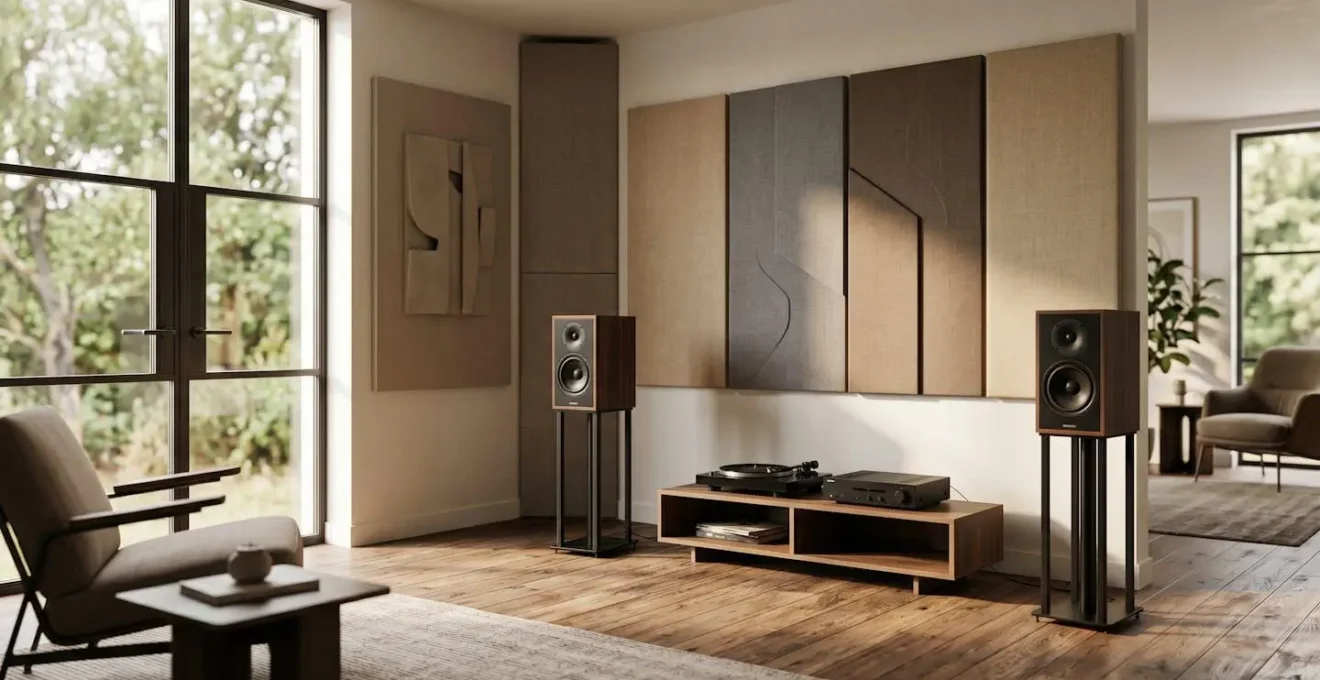
Contrary to endless debates, the question isn’t whether to buy better speakers or acoustic panels. The real key to unlocking high-end audio is mastering Return on Acoustic Investment (ROAI).
- Your room introduces more distortion, frequency peaks, and nulls than most modern audio equipment.
- Digital room correction is a powerful tool, but it cannot fix physical room problems like echoes and reverberation (time-domain issues).
Recommendation: Diagnose your room’s primary acoustic flaw first. Spending £500 on targeted treatment will almost always yield a greater perceptual upgrade than a £500 speaker upgrade in an untreated room.
For any UK audiophile converting a spare room into a dedicated cinema space, the budget allocation debate is a familiar one. Should you splash out on that coveted speaker upgrade you’ve been eyeing, or divert funds to those less glamorous, fabric-covered rectangles called acoustic panels? The internet is filled with conflicting advice, often boiling down to a simplistic “get both”. But for those making tangible financial decisions, this isn’t a helpful answer.
The common wisdom suggests starting with better cables, more powerful amplifiers, or chasing the latest audio format. While these components matter, they operate within a system, and the most influential—and most flawed—component in that system is almost always the room itself. An untreated room is an active participant in sound reproduction, adding its own character in the form of echoes, boomy bass, and muddled dialogue. It actively works against the clarity and precision your expensive equipment is trying to produce.
But what if we reframe the question entirely? As an acoustics engineer, the goal is not to blindly advocate for treatment over hardware. The goal is to achieve the maximum perceptual improvement for every pound spent. This is the principle of Return on Acoustic Investment (ROAI). The truth is, in most home setups, your money goes significantly further fixing the room’s obvious acoustic flaws than it does on an incremental speaker upgrade whose benefits will be immediately masked by those same flaws.
This article provides an engineer’s framework for making smarter decisions. We will dissect common audiophile dilemmas, from cables to subwoofers, all through the lens of acoustic triage: identifying and solving the biggest problem first. By understanding the physics at play, you can move beyond marketing claims and build an immersive experience that truly honours the source material.
To navigate this complex topic, this guide will break down the critical decisions you’ll face. Here is a look at the key areas we will explore to help you allocate your budget for the best possible home theatre experience.
Summary: An Engineer’s Framework for Home Theatre Excellence
- Gold-Plated Cables: Can You Really Hear the Difference on a £500 System?
- Ohms and Watts: How to Match Your Receiver to Your Speakers Without Blowing Them?
- Room Correction Software: Can It Fix the Echo in a Tiled Conservatory?
- Blu-ray vs Streaming: Is the Disc Still King for Sound Quality?
- Subwoofer Crawl: Where to Put the Sub for Even Bass Response?
- Triband vs Dual-Band Mesh: Is the £200 Extra Worth It for 500Mbps Lines?
- How to Watch HDR Movies on Mobile Without Crushing the Shadow Details?
- HDR Dynamic Ranges: Dolby Vision vs HDR10 for the Best Gaming Experience?
Gold-Plated Cables: Can You Really Hear the Difference on a £500 System?
The debate over expensive speaker cables is a rite of passage for every audiophile. Marketing materials are filled with claims of oxygen-free copper, directional silver, and gold-plated connectors promising to unlock a new dimension of sound. From an engineering perspective, the answer for most systems is unequivocally simple: no, you cannot hear the difference. On a sub-£1000 system, any perceived improvement from exotic cables is almost certainly a placebo effect, a phenomenon known as psychoacoustics.
A cable’s job is to transmit an electrical signal with minimal resistance, capacitance, and inductance. A well-made, appropriately-gauged copper cable from a reputable brand does this with near-perfect efficiency. The exotic materials and elaborate geometries of high-end cables aim to solve problems that don’t exist at the signal levels and frequencies of home audio. The real bottleneck is not the final metre of wire.
Case Study: The Copper vs. Banana vs. Mud Blind Test
This principle was starkly illustrated in a recent audio forum experiment. In a rigorous double-blind test comparing high-end speaker cables to unconventional conductors, including a literal banana, listeners consistently failed to distinguish between them. The experiment, detailed by ZME Science in its analysis of audiophile myths, showed that basic physics trumps marketing. For entry-level and mid-range systems, spending significant money on cables is a poor allocation of resources. The “cable” that truly needs upgrading is the air between your speakers and your ears—and that’s the domain of acoustic treatment.
Instead of spending £100 on a fancy cable, that same £100 invested in a pair of first-reflection absorption panels will provide a dramatic, measurable, and instantly audible improvement in clarity and stereo imaging. It’s the most lopsided decision in all of hi-fi. Focus on the room first.
Ohms and Watts: How to Match Your Receiver to Your Speakers Without Blowing Them?
Matching your amplifier or AV receiver to your speakers is a crucial step that intimidates many. The key specifications are impedance (Ohms, Ω) and power (Watts, W). Mismatching them can, at best, lead to poor performance and, at worst, damage your equipment. The goal is to ensure the amplifier can provide clean, undistorted power that the speakers can safely handle.
Impedance is essentially electrical resistance. Most home speakers are rated at a nominal 8Ω, 6Ω, or 4Ω. Lower impedance speakers are harder for an amplifier to drive. You must ensure your amplifier is rated to handle your speakers’ impedance. Power, measured in watts, dictates how loud the system can play. However, the relationship isn’t linear; every 3 dB increase in volume requires doubling the amplifier power. This means the difference between a 50W and 100W amp is noticeable, but the difference between 150W and 200W is far less significant.
A common mistake is buying hugely powerful amplifiers for inefficient speakers in a small room. A better approach is to consider speaker sensitivity. This metric (e.g., 90dB @ 1W/1m) tells you how loud a speaker is with just one watt of power. A high-sensitivity speaker (90dB+) needs far less power to reach cinematic volume levels, allowing you to use a less powerful, often higher-quality, amplifier. This is a much smarter way to allocate your budget than just chasing the highest wattage number. For most UK living rooms or spare rooms, an 80-100W per channel receiver paired with speakers of 88dB sensitivity or higher is more than sufficient.
Room Correction Software: Can It Fix the Echo in a Tiled Conservatory?
Modern AV receivers come equipped with sophisticated room correction software like Audyssey, Dirac Live, and YPAO. These systems use a microphone to measure your room’s acoustic response and apply digital equalisation (EQ) to smooth out frequency peaks and dips. They are remarkably effective at taming unruly bass frequencies and balancing channel levels. However, they are not a magic bullet, and their limitations are critical to understand.
The short answer to the question is no. Room correction software cannot fix an echo in a hard, reflective space like a tiled conservatory. An echo, or reverberation, is a problem in the time domain—sound waves are bouncing off hard surfaces and arriving at your ears delayed. Room correction primarily operates in the frequency domain; it can adjust how loud or quiet certain tones are, but it cannot stop a sound wave that has already left the speaker from bouncing off a wall. As experts point out, digital tools have their limits.
Room correction software cannot single-handedly solve inherent room issues such as time-based reflections, reverberation problems, or severe bass nulls.
– BMC Audio Visual, Can Room Correction Software Really Fix Acoustic Issues?
This is where physical acoustic treatment is non-negotiable. Absorption panels, diffusers, and bass traps are the only tools that can effectively manage the time domain. They physically absorb or scatter the sound energy before it can create problematic reflections. The correct engineering workflow is to treat first, then correct. Use physical panels to fix the big problems—like flutter echo between parallel walls or excessive decay time—and then run your digital room correction to fine-tune the frequency response. One cannot replace the other.
Your Action Plan: The Professional Workflow for Room Acoustics
- Install basic acoustic treatment: Prioritise absorption panels at early-reflection points (the ‘mirror trick’) and place bass traps in room corners.
- Re-measure the room: Use a measurement app or microphone to verify that the major reverberation and bass issues are significantly reduced.
- Engage room correction software: Now, run your system’s calibration (e.g., Audyssey, Dirac) using multiple microphone positions for an accurate reading.
- Fine-tune the target curve: If your software allows, limit the EQ to specific frequency ranges, often just the troublesome bass region (e.g., below 300-500 Hz), leaving the natural character of your speakers intact at higher frequencies.
- Listen and experiment: The final step is always to trust your ears. The goal is clarity and warmth, not a perfectly flat line on a graph.
Blu-ray vs Streaming: Is the Disc Still King for Sound Quality?
In the age of convenience, streaming services like Netflix, Disney+, and Apple TV+ have become the default for many. They offer vast libraries of 4K HDR content at the click of a button. But for the discerning audiophile building a home cinema, the question remains: does the physical disc still offer a superior experience? When it comes to pure, uncompromised sound and video quality, the answer is a resounding yes.
The difference comes down to one word: bitrate. Bitrate is the amount of data used to encode one second of video and audio. Higher bitrates mean more data, less compression, and higher fidelity. Streaming services are in a battle for bandwidth; they must deliver a stable picture to millions of users with varying internet speeds. To achieve this, they use aggressive compression algorithms. In contrast, a 4K UHD Blu-ray disc doesn’t have this constraint. It can dedicate a much larger, more consistent data stream to the picture and, crucially, to the audio.
A technical analysis reveals that streaming services typically deliver 15-25 Mbps for 4K content, while 4K Blu-ray discs maintain consistent bitrates up to 128 Mbps. This difference is most apparent in the audio. Streaming services use compressed audio formats like Dolby Digital Plus. Blu-ray, on the other hand, delivers lossless audio via Dolby TrueHD or DTS-HD Master Audio. This is the equivalent of listening to a CD versus a low-quality MP3. The lossless track on a Blu-ray has a wider dynamic range, more subtle detail in the surrounds, and a cleaner, more impactful low-frequency effects (LFE) channel. For a properly set-up home cinema, the difference is not subtle. The disc is still king.
Subwoofer Crawl: Where to Put the Sub for Even Bass Response?
Proper subwoofer placement is arguably the single most impactful adjustment you can make for your home cinema sound, yet it’s often done incorrectly. Most people simply place the sub in a convenient corner or next to the TV, but this is a recipe for acoustic disaster. Low-frequency sound waves are very long and interact with the room’s dimensions in complex ways, creating areas of huge bass peaks (boomy, overwhelming bass) and deep nulls (areas where the bass seems to disappear completely). The goal is to find the location that provides the smoothest, most even bass response at your main listening position.
The “subwoofer crawl” is a time-tested, if slightly undignified, method for finding this sweet spot. The logic is based on the principle of acoustic reciprocity. It works like this:
- Temporarily place your subwoofer directly on your main listening chair/sofa.
- Play a continuous, bass-heavy audio track or a repeating bass sweep tone (many test discs and online resources have these).
- Get down on your hands and knees and “crawl” around the perimeter of your room where you might potentially place the subwoofer.
- Listen carefully. As you move, you will hear the bass character change dramatically. You are listening for the spot where the bass sounds the tightest, most defined, and most even—not necessarily the loudest.
- Once you’ve identified that magical spot on the floor, that is where you should place your subwoofer.
The reason this works is that you’ve reversed the roles. The location that provides the best sound *from* the listening position is the same location that will provide the best sound *to* the listening position. As experts at *Sound on Sound* note, low frequencies build up in corners, so often the best spot is slightly away from a corner to avoid excessive boominess. This simple technique requires no expensive equipment and can transform your system’s low-end performance.
Triband vs Dual-Band Mesh: Is the £200 Extra Worth It for 500Mbps Lines?
As we’ve established, high-quality streaming requires a robust and stable network connection. For many UK homes, especially those with challenging layouts, a mesh Wi-Fi system is the solution. The debate then becomes whether to opt for a cheaper dual-band system or a more expensive tri-band one. For an audiophile with a 500Mbps+ fibre connection aiming for the best 4K HDR streaming experience, the £200 extra for a tri-band system is almost always worth the investment.
Here’s the engineering reason: a dual-band mesh system uses two radios (2.4GHz and 5GHz). The nodes (satellite units) must use some of that 5GHz bandwidth to talk to each other (this is called ‘backhaul’) and also to talk to your devices (your 4K TV, streamer, etc.). This sharing creates congestion and can effectively halve your available bandwidth. A tri-band system adds a second, dedicated 5GHz radio. This radio is used exclusively for backhaul, creating a private, high-speed highway between the nodes. This leaves the other 5GHz band completely free for your devices.
The result is significantly higher, more consistent speed and lower latency at the node farthest from your router. For streaming, consistency is everything. An analysis of streaming infrastructure shows 4K HDR streaming requires stable 25+ Mbps connections to avoid buffering or dropping to a lower-quality stream. With a dual-band system on a 500Mbps line, you might see speeds drop to 150-200Mbps at a distant node during peak use, with potential for fluctuation. With a tri-band system, you are far more likely to maintain a stable 400-500Mbps, ensuring your 4K stream never falters and your lossless audio (on services that support it) is delivered without a hiccup. It’s an investment in stability.
How to Watch HDR Movies on Mobile Without Crushing the Shadow Details?
While the ultimate experience is in a treated home cinema, the reality is that we often consume content on mobile devices. Watching High Dynamic Range (HDR) content on a small phone or tablet screen presents unique challenges. These screens lack the peak brightness and contrast ratio of a high-end TV, which can lead to “crushed” blacks (where shadow detail is lost) or blown-out highlights. However, with a few careful steps, you can significantly improve the mobile HDR experience.
The goal is to ensure the device’s tone-mapping—the process of adapting the wide HDR signal to the screen’s limited capabilities—is working optimally. Many phone manufacturers add their own “video enhancer” software which can interfere with the streaming app’s own, often superior, algorithms. Disabling these proprietary modes is a critical first step. Furthermore, not all playback apps are created equal. Using a specialized app can often yield better results than the native player.
Here are the key steps to optimise mobile HDR viewing:
- Disable phone-specific ‘video enhancement’ modes that often misinterpret HDR tone-mapping algorithms. You’ll usually find this in the display settings.
- Use specialized playback apps like Infuse on iOS, which have superior tone-mapping engines compared to native players.
- Control your environment. Just like in a home theatre, controlling ambient light is crucial. Watch in a darker room to allow your eyes to adjust and perceive more contrast. Also, ensure your screen is perfectly clean.
- Look for Dolby Vision content over standard HDR10. The dynamic metadata in Dolby Vision allows for scene-by-scene optimisation, which is more effective at adapting to the limited brightness of mobile screens.
- Manually set your display brightness to maximum when watching HDR content and enable any manufacturer-specific “HDR display” or “peak brightness” modes.
By taking these steps, you are essentially applying the core principles of a home cinema—controlling the environment and ensuring the correct playback chain—to your mobile device, ensuring a more faithful reproduction of the director’s vision.
Key takeaways
- The biggest acoustic problem in any system is almost always the room itself. Fixing it provides the highest Return on Investment.
- Digital Room Correction (EQ) is a tool for frequency problems, not a solution for time-domain issues like echo and reverberation. Physical treatment is required.
- Source quality is paramount. A physical Blu-ray disc with lossless audio will always outperform a compressed stream in a properly configured system.
HDR Dynamic Ranges: Dolby Vision vs HDR10 for the Best Gaming Experience?
The obsession with signal purity and format superiority extends into the world of gaming. The two main HDR formats, HDR10 and Dolby Vision, both promise more vibrant colours and greater detail in the brightest and darkest parts of the image. On paper, Dolby Vision has the technical edge. It supports 12-bit colour depth (vs 10-bit for HDR10) and, more importantly, uses dynamic metadata. This allows it to adjust the HDR parameters on a scene-by-scene or even frame-by-frame basis, whereas HDR10 uses static metadata that applies one setting for the entire film or game.
However, in the real world of gaming, the “best” format is not so clear-cut. The quality of the final experience depends less on the theoretical advantages of the format and more on the quality of its implementation by the game developer and the specific capabilities of your TV. This is a perfect analogy for our central theme of speakers vs. acoustics.
While Dolby Vision has a technical edge with its dynamic metadata, some TVs have higher input lag in Dolby Vision mode. Furthermore, many games have poor HDR10 implementations. The best format is often the one that your specific TV and the specific game developer have implemented best.
– Sareesh Sudhakaran, Wolfcrow.com
This insight is profound. Just as a game with a brilliant Dolby Vision implementation can look worse than a well-made HDR10 game on a TV with high input lag, a £5,000 pair of speakers will sound worse than a £500 pair if placed in an acoustically disastrous room. The on-paper specification is meaningless if the system and environment in which it operates are flawed. The superior component is not the one with the better spec sheet, but the one that addresses the biggest bottleneck in your specific chain.
The next logical step, therefore, is not to browse for new equipment, but to take out a notepad and a measuring tape. Identify your first reflection points, perform the subwoofer crawl, and diagnose your room’s primary acoustic flaw. Begin your acoustic triage today; it’s the most significant upgrade you can make.